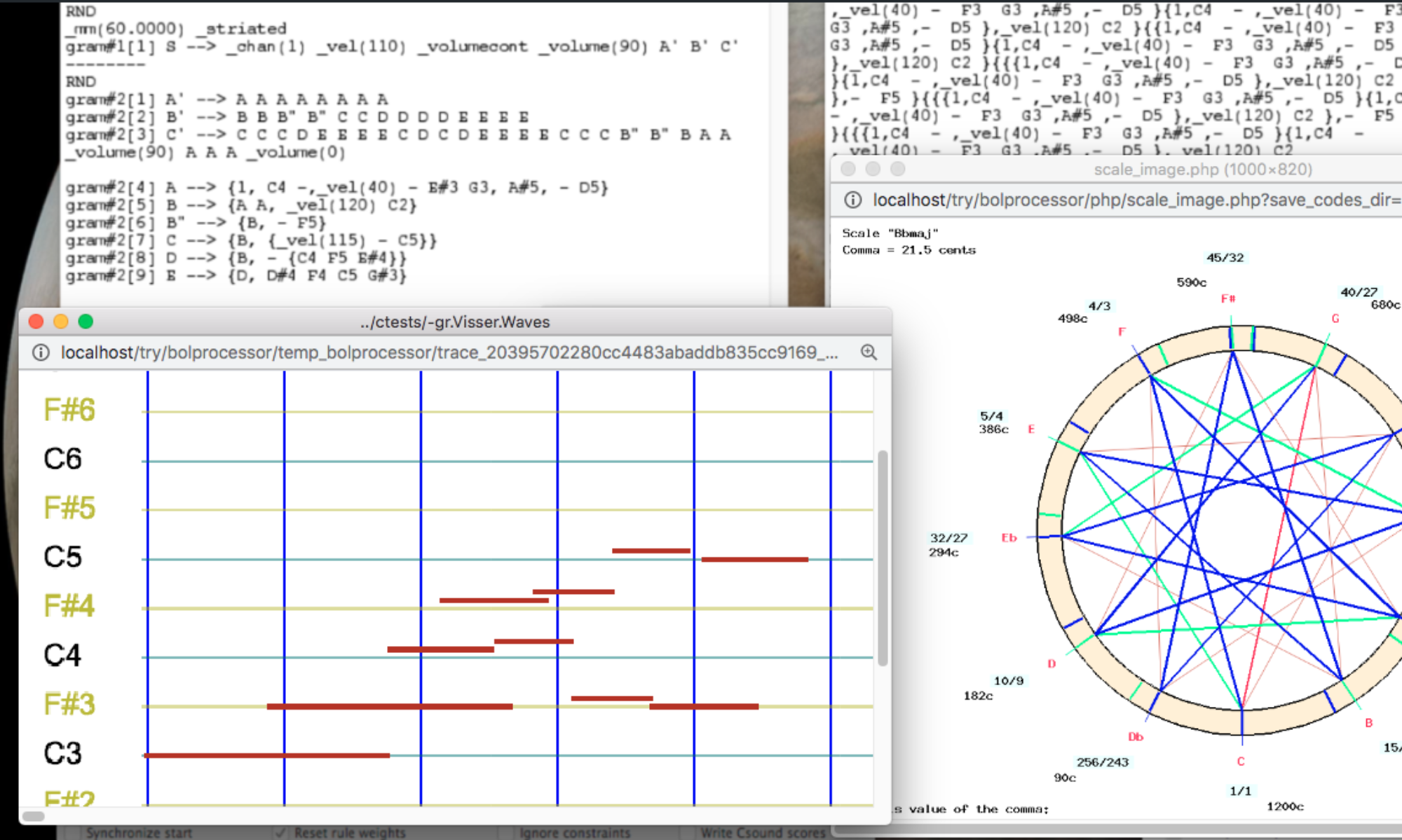
The Bol Processor can produce detailed lists of sound events as text files. This will facilitate connections with a great diversity of sound devices in replacement of the MIDI and Csound outputs.
Set it up
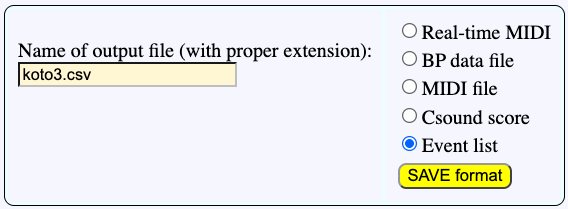
When 'Event list' is selected on a Data or Grammar page, sound events are saved to a CSV file. The full description of the sound object prototypes used in production is saved to a JSON file. All used tonal scales are exported in Scala (SCL) and keyboard mapping (KBM) formats. Any Csound instrument used for the production of Csound score is exported as a JSON file.
The event list file
Click PRODUCE ITEM(s) on a grammar page, here for instance '-gr.koto3'. This yields:
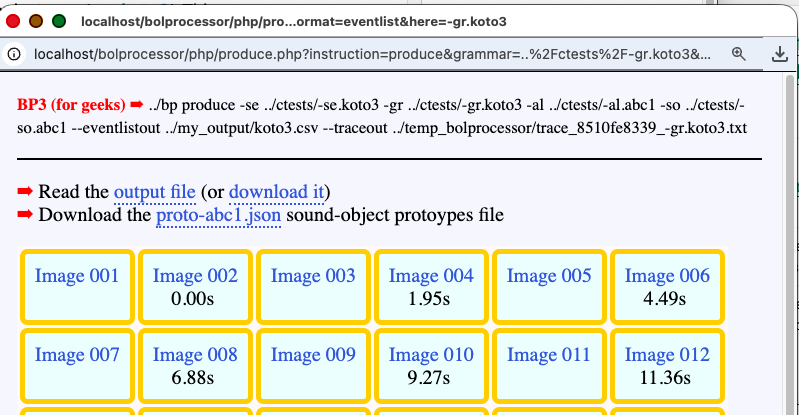
No sound output (MIDI or Csound) has been produced. Instead, a file called 'koto3.csv' is available in the 'my_output' folder (by default). You can visualise this file by clicking the 'output file' link, or download it (get it here) for later use.
The event list contains many columns, a number which is likely to increase with new developments. It looks like this:
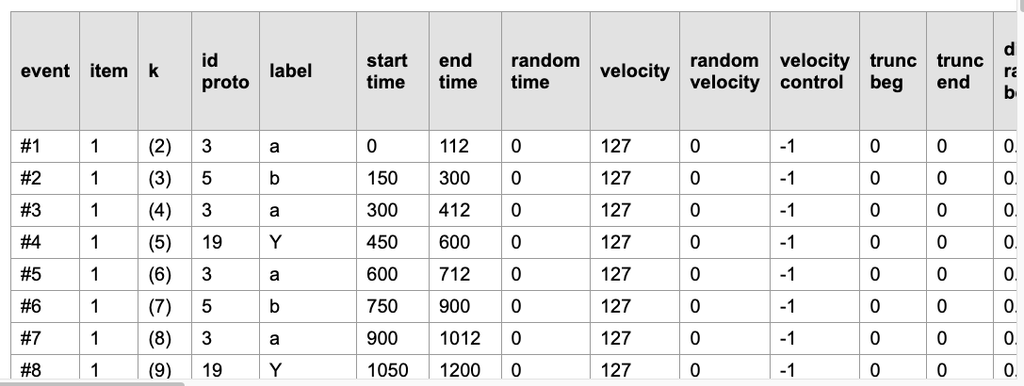
Each line of the event list is assigned to a sound-event with start and end times in milliseconds, as shown on the graphic display:
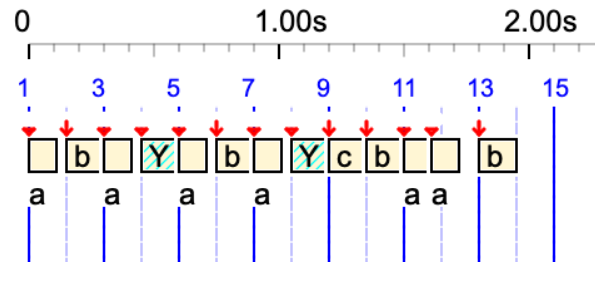
The labels 'a' and 'b' designate sound-objects, with respective prototype identifiers 3 and 5, as defined in the related '-so.abc1' file. The item labelled 'Y' is a silent sound-object created to represent the residual variable 'Y'.
The examples on this page may not contain all the information provided in the latest version of the event lists because the format is frequently updated.
The timings of sound-objects and simple notes in the event list are the accurate ones computed by the polymetric expansion and time-setting algorithms. Serial tools (e.g. _retro) modifying the order of events have been applied. However, serial tools modifying pitches (e.g. _transpose) have not been applied; therefore, their parameters are given in the event list. The second-to-last column contains the name of the tonal scale, if any (see below).
The sound-object file
The '-so.abc1' file, which is used to define all the sound objects used in the '-gr.koto3' project, is in an unfriendly format produced by the PHP interface. Therefore, to facilitate further use, it is exported to a more readable JSON format ('proto-abc1.json'):
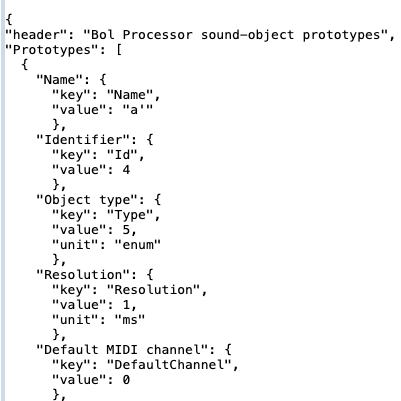
Please note that each sound-object is identified by both a label and a numeric identifier. These parameters are displayed in columns 4 and 5 of the event list. Numbers make it easier to match objects in the event list with their descriptions in 'proto-abc1.json'.
👉 Since numeric identifiers are created when the alphabet is compiled, the values appearing in 'proto-abc1.json' are specific to the '-gr.koto3' project.
The tonal (scale) files
SCL and KBM files are produced wherever tonal scales are used in the production (read MIDI microtonality).
Let's try the '-da.Ombres_errantes' project. Check the 'Event list' output format and click 'PLAY'. Links for downloading the rameau_en_sib.scl and rameau_en_sib.kbm files are displayed:
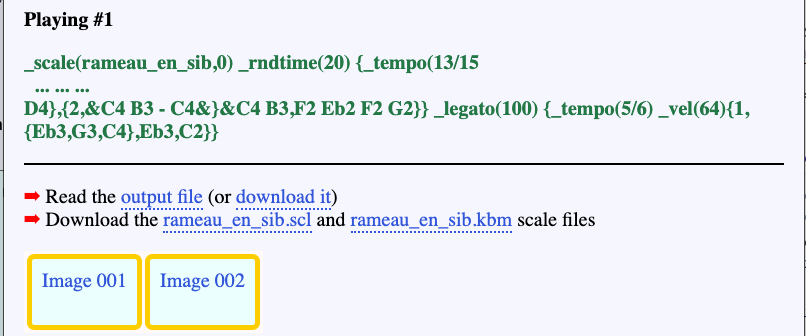
If several scales have been used in the production, several download lines will be displayed.
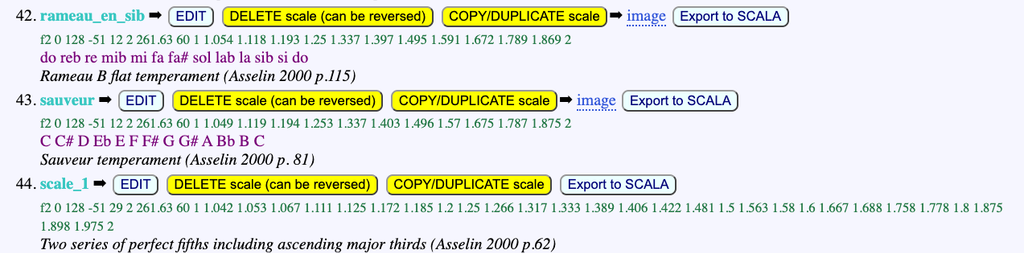
👉 These SCL and KBM file can also be exported via the tonality editor in the interface. The 'rameau_en_sib' scale is defined in the '-to.tryTunings' tonality framework which is displayed as follows:
The Csound instrument files
If a Csound resource file is declared at the top of the project, the full descriptions of instruments used in the production of items are exported to a JSON file.
For example, in '-da.tryMiscObjects', the '-cs.tryTunings' Csound resource is declared. Let us play the following with the 'Event list' output option.
_ins(1) C3 _ins(2) D3 _ins(3) G3 _ins(Synth_brass) D3 _ins(267) E3
The _ins() instructions are calling several instruments described (or not) in '-cs.tryTunings':
- Instrument 1 is 'Plucked_string1'
- Instrument 2 is 'Plucked_string2'
- Instrument 3 is 'Synth_brass'
- Instrument 267 does not exist
These instruments are mentioned in the 9th column of the event list (see below). Their JSON files are exported and links are supplied to download them.
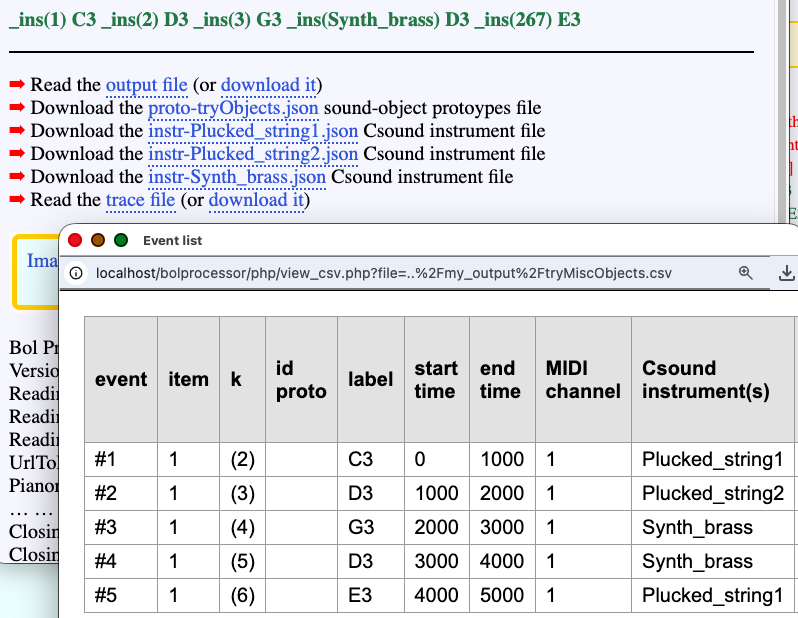
This result can be verified by clicking on the EXPAND button (near the PLAY button), as it explicitly reveals which instruments will be used:
_ins(Plucked_string1) C3 _ins(Plucked_string2) D3 _ins(Synth_brass) G3 _ins(Synth_brass) D3 _ins(Plucked_string1) E3
Using sound-objects that contain Csound scores opens up more possibilities. These Csound scores contain instrument numbers in their first column.
An option named 'GLOBAL_CS' tells the machine to use the instruments set by the context. This is the case of instrument 'oscar-purecsound'. Consequently, playing:
_ins(1) oscar-purecsound -- _ins(2) oscar-purecsound -- _ins(3) oscar-purecsound
will produce the following list of events:
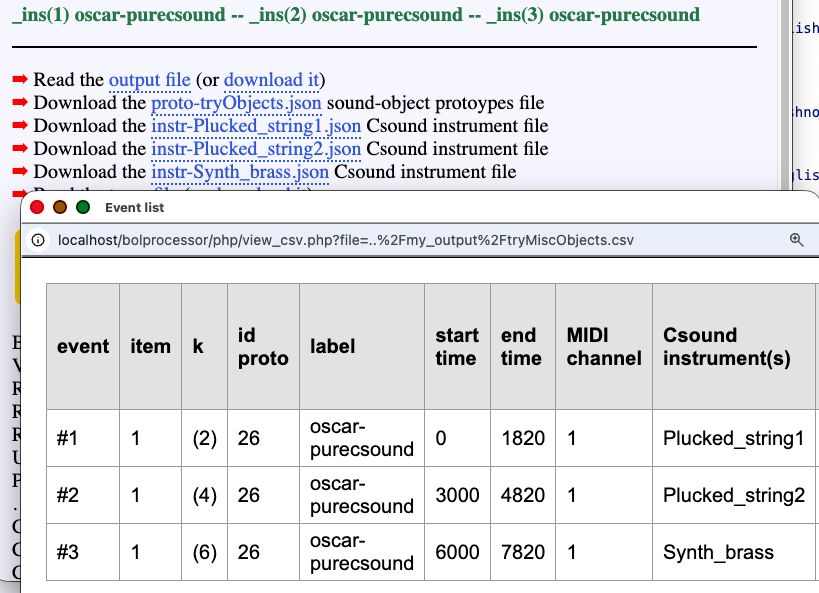
and the following Csound score, in which instruments are tagged in the first argument of each line:
Another option named 'LOCAL_CS' tells that the Csound instruments listed in the sound-object's score should be used. This is the case of 'oscar-2instruments' which uses two instruments. So, playing:
_ins(2) C4 - oscar-2instruments - D4
will produce the following event list:
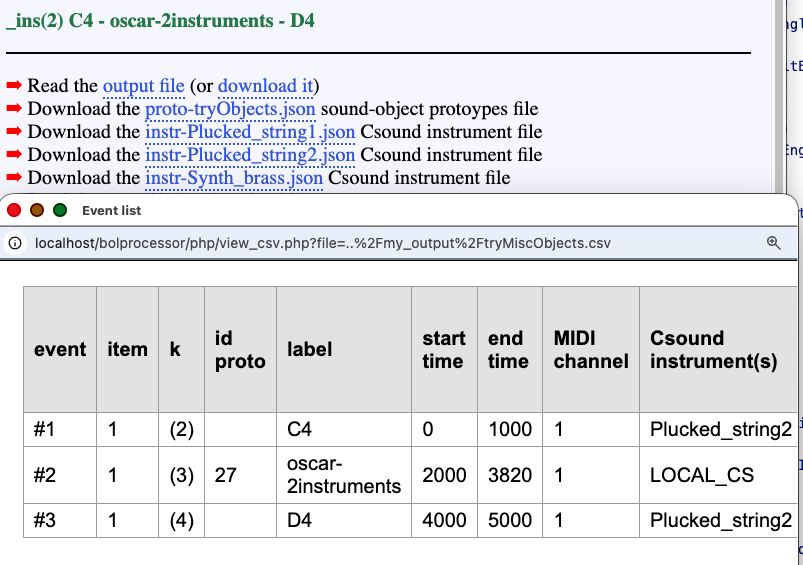
and a Csound score making it clear that notes C4 and D4 are performed with instrument #2, as instructed by ins(2):
In this example, the 'LOCAL_CS' mention in the 9th column indicates that the sound-object will use its own Csound instruments. These instruments are found in its score. In addition, the three files required for the performance have been exported: 'instr-Plucked_string1.json', 'instr-Plucked_string2.json' and 'instr-Synth_brass.json'. The index of each instrument is mentioned as 'CsInstrumentIndex' in each file.
An example of JSON instrument file is 'instr-Vina.json' produced by '-gr.vina3'.
Using command lines
Event lists and related files can be produced by calling the console via (Unix) command lines. For example,
./bp produce -se ./ctests/-se.koto3 -gr ./ctests/-gr.koto3 -al ./ctests/-al.abc1 -so ./ctests/-so.abc1 --eventlistout ./my_output/koto3.csv --traceout ./temp_bolprocessor/trace_my_session_my_project.txt
This will produce 'koto3.csv' and 'proto-abc1.json' in the 'my_output' folder. (If the --traceout option is not specified, no image will be created.)
./bp play -se ./ctests/Imported_MusicXML/-se.Ombres_errantes -da ./[your_path]/0.bpda -to ./tonality_resources/-to.tryTunings --eventlistout ./my_output/Ombres_errantes.csv --traceout ./temp_bolprocessor/trace_8510fe8339_-da.Ombres_errantes.txt --traceout ./temp_bolprocessor/trace_my_session_my_project.txt --english
This will produce 'Ombres_errantes.csv', 'rameau_en_sib.scl' and 'rameau_en_sib.kbm' in the 'my_output' folder. (If the --traceout option is not specified, no image will be created.)
When calling this production via a command line, we need to find out the names of scale files. Since 'rameau_en_sib' is not found in the command, a scan of the data or grammar is necessary to detect _scale(rameau_en_sib, …) instruction(s). If several scales are used in the production, each of them will export a pair of SCL and KBM files that can be identified in the same manner.
Designed by Bernard Bel, version 3.5.6 (Fall 2026)