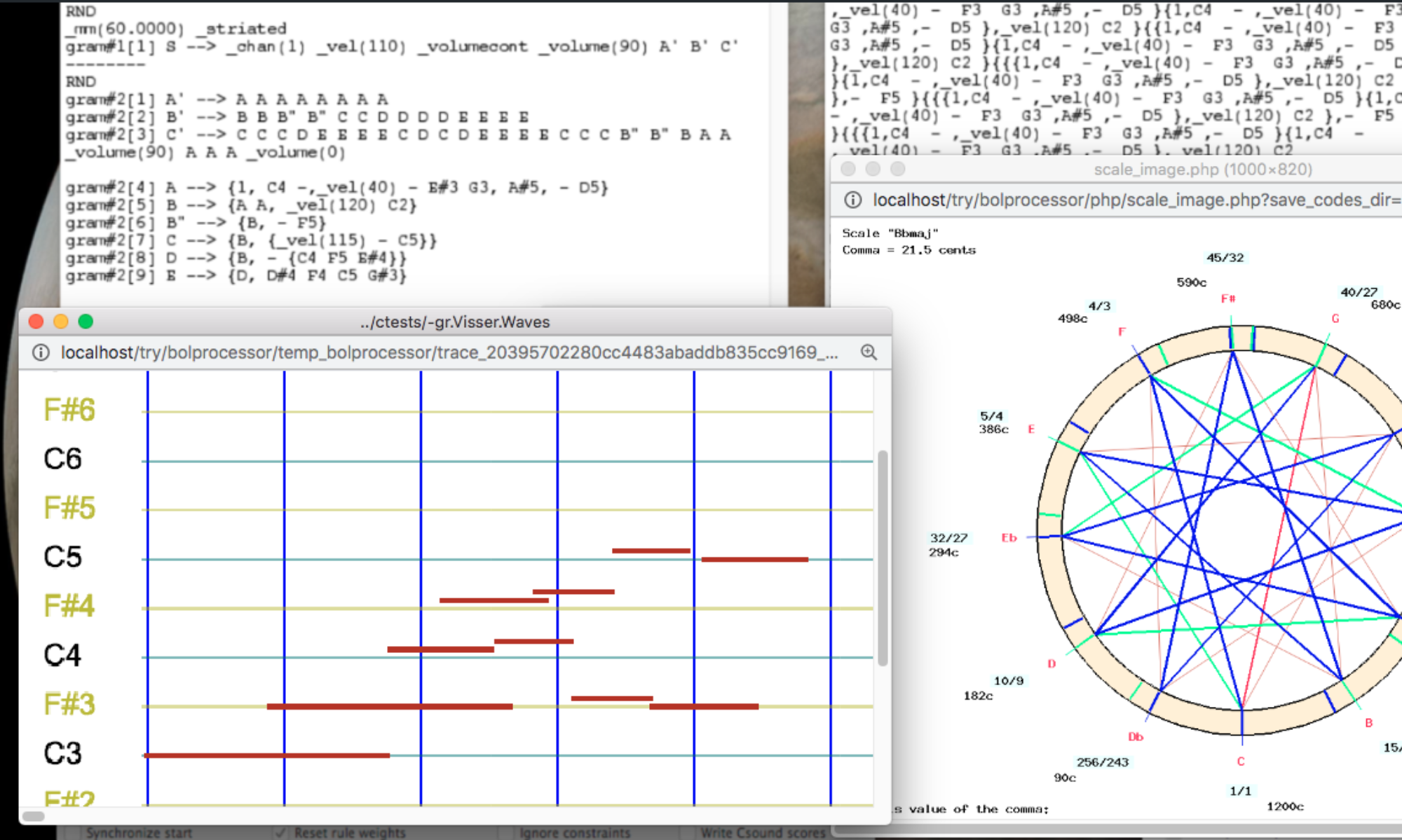
Time-setting an item: how TimeSet() works

This page is for programmers who want to read, maintain or extend the code that computes the physical dates of sound-objects, notes and time patterns once an item has been produced. This is done by TimeSet() and SetTimeObjects(), in the console's source file TimeSet.c. The page describes their algorithm step by step.

The theory behind this code is explained in the paper Time-setting of sound-objects: a constraint-satisfaction approach (Bel 1992). This page uses its vocabulary: phase diagram, structure of time, time streaks, pivot, local drift, global drift, correction 1 and correction 2. References such as “paper §5.2” point at its sections. Where the code has gone further than the paper, or differs from it, this page says so.

The code lives in four C files of the console (source/BP3/):

  • TimeSet.c contains TimeSet(), SetTimeObjects() and GetCap();
  • FillPhaseDiagram.c contains FillPhaseDiagram(), MakeEmptyTokensSilent() and Class(), which build the phase diagram;
  • SetObjectFeatures.c contains Calculate_alpha(), FixDilationRatioInCyclicObject(), SetLimits() and FixObjectTimings(), which compute the dilation ratios, the limits of each object and its default dates;
  • TimeSetFunctions.c contains Locate(), the constraint solver, and its subroutines Situation_ok(), Possible_choices(), Next_choice(), Alternate_correction1() and Solution_is_accepted().

Comments of the form // note 12 have been placed in TimeSet.c. Each one points to the numbered note of this page that explains the code below it. Searching for // note 12 finds every place that note 12 describes. Line numbers are not given because they change with every revision.

Where TimeSet() stands in the production of music

A grammar produces an item: a string of terminal symbols, notes, performance controls and polymetric structures such as {C4 D4 E4, F3 G3}. Playing this item takes three steps, called from PlayBuffer1() in PlayThings.c:

  1. PolyMake() (Polymetric.c) normalises the polymetric structure. It computes Ratio, the number of grid units per beat that represents every duration of the item exactly, and Kpress, a compression rate used when the grid would be too large (note 8).
  2. TimeSet() places every object on the phase diagram (FillPhaseDiagram()), then computes the date at which each one starts and ends (SetTimeObjects()). Constraints such as overlapping, continuity, truncation, relocation and tempo breaks are resolved here.
  3. MakeSound() (MakeSound.c) reads the timed objects and sends their events to the outputs. Its algorithm is described on the page Playing an item: how MakeSound() works.

PlayBuffer1() interprets the result of TimeSet(): OK lets MakeSound() play the item, MISSED displays error 37 (no solution could be found, note 17), ABORT and EXIT stop, and AGAIN is noted in the variable again, although none of the functions called by TimeSet() returns it at present.

The data used by SetTimeObjects()

The phase diagram

The phase diagram (paper §1 and §3) is the table p_Seq. Each line nseq, from 0 to *p_nmax, is a sequence: a voice of the polymetric structure. Each column i, from 0 to maxseq, is a position in symbolic time. The cell (*((*p_Seq)[nseq]))[i] contains an instance index k:

  • k ≥ 2: an instance (*p_Instance)[k] that starts in this column;
  • k = 1: a silence -;
  • k = 0: an empty cell. The object or silence before it continues. This is the prolongation _ of the paper (its null object E0);
  • k = -1: the end of the sequence, called NIL in the paper (its virtual object E-1). (*p_imaxseq)[nseq] is its column.

The paper numbers columns from 1, and gives all real objects an index k ≥ 1. The code numbers columns from 0, reserves k = 0 and k = 1 for _ and -, and gives real instances k ≥ 2. The scans of a sequence rely on finding the -1 marker. The idiom inext = i; while(seq[++inext] == 0);, found in every function below, finds the next column that is not empty, i.e. the end of the object starting in column i.

The instances

Each instance (*p_Instance)[k] has a field object, called j in the code, which tells what it is: a sound-object if 1 < j < Jbol, a time pattern if Jbol ≤ j < 16384, a simple note of key j - 16384 if j ≥ 16384, and an out-time object (written <<…>>, with no duration) if j < 0. SetTimeObjects() computes the following fields:

  • alpha: the dilation ratio, the α(k) of the paper. It is the ratio between the duration of the instance and that of its prototype. If α > 1 the object is played slower than its prototype.
  • beta and ncycles: the ratio applied to the dates of the events, and the number of repetitions of the periodical part of a cyclic object (note 12).
  • starttime and endtime: the dates in milliseconds, the t1(k) and t2(k) of the paper.
  • truncbeg and truncend: the durations cut at the beginning and at the end, TrBeg(k) and TrEnd(k).

The prototypes

The properties of a sound-object prototype j come from the -so file. They are global tables indexed on j. Those used here are:

  • p_Dur: the duration of the prototype in milliseconds, and p_Tref: the reference period. A prototype with Tref > 0 is striated: its duration is defined relative to a beat. A simple note is treated as an object of 1000 ms.
  • p_PivMode, p_PivPos: the pivot, the time point placed on the streak (paper §2).
  • p_PreRoll, p_PostRoll: durations played before the start or after the end.
  • p_OkExpand, p_OkCompress, p_FixScale, p_RescaleMode, p_AlphaMin, p_AlphaMax, p_CyclicMode: what dilation ratios are allowed (note 12).
  • p_OkRelocate, or else p_MaxDelay and p_MaxForward: whether the object can be moved (Reloc in the paper), and by how much.
  • p_CoverBeg, p_CoverEnd, p_MaxCoverBeg, p_MaxCoverEnd: whether its beginning or end may be overlapped by other objects of the same sequence (OverBeg and OverEnd), and by how much.
  • p_ContBeg, p_ContEnd, p_MaxBegGap, p_MaxEndGap: whether its beginning or end must join a neighbour (ContBeg and ContEnd), and the largest gap allowed.
  • p_TruncBeg, p_TruncEnd, p_MaxTruncBeg, p_MaxTruncEnd: whether its beginning or end may be truncated, and by how much.
  • p_BreakTempo: whether a global drift may start after it (BrkTempo).

In the paper, these properties are TRUE or FALSE. In BP3, most of them come with a limit, whose mode (…Mode tables) is FIXVALUE (in milliseconds), PERCENT (a percentage of the duration of the instance) or IRRELEVANT (no limit). SetLimits() converts them to milliseconds (note 13).

Striated and smooth time

The setting Nature_of_time is STRIATED or SMOOTH (paper §7.2):

  • In striated time, the structure of time is given in advance by the metronome. Column i has a date (*p_T)[i], its time streak, and each object is placed with its pivot on the streak of its column. The constraint solver may then move objects, truncate them, or delay all following streaks (a global drift, or tempo break).
  • In smooth time, there is no structure of time in advance. The objects of the first line are played one after the other, each one with the duration of its prototype. Their dates become the streaks, and the objects of the other lines are fitted between them.

Both modes use the same functions, with branches on nature_time. It is copied from Nature_of_time at the start because it must not change during the computation.

Overview of the algorithm

TimeSet() prepares the tables, calls FillPhaseDiagram(), then SetTimeObjects(), and reports the ties that could not be resolved (notes 1–6).

SetTimeObjects() works as follows:

  1. It computes the default structure of time: the dates (*p_T)[i] of all columns, from the metronome in striated time, or zero in smooth time (notes 7–10).
  2. It processes the sequences in order, from line 0 to line *p_nmax (note 11). For each sequence: 
    1. it computes the dilation ratio of every object (note 12) and its limits of overlapping, gap and truncation (note 13), once only;
    2. it computes the default dates of every object, with its pivot on its streak (note 15);
    3. it calls Locate(), which scans the sequence from left to right and changes these dates until all constraints are satisfied (note 16);
    4. if Locate() fails, it releases the constraints step by step and tries again (note 17);
    5. it adds the global drift found by Locate() to the structure of time (notes 19–20). In striated time, a global drift means that the sequences already placed may no longer be correct, so the whole loop starts again from line 0, as the paper explains at the end of §2;
    6. it updates the limits tmin and tmax of the item (note 21).
  3. Finally, it applies legato and staccato to all objects (notes 22–24).

Step 1 — TimeSet()

Note 1 — Starting

The function returns ABORT if an emergency stop was requested. *p_tmin and *p_tmax, the limits of the item in time, start at Infpos and Infneg so that the first object found replaces them (note 21).

Chunk_number counts the calls when the item is played in chunks (PlayChunks). It is only used in messages. It is not increased when improvising.

p_Articul is allocated with one value per instance (MaxObjects). FillPhaseDiagram() stores in it the articulation of each instance, i.e. the value of _legato() or _staccato() in force, as a percentage. It is used at the end (note 23) and freed when TimeSet() returns.

Note 2 — Tie tables

Ties (C4& … &C4, and the same for sound-objects) are resolved by FillPhaseDiagram(), which needs four tables allocated here:

  • p_Tie_note[channel][key] counts the ties opened and not yet closed for each MIDI channel and key (128 keys). Since 2026-11-13 it is a counter, not a flag, so that several ties of the same note can be open at the same time;
  • p_Tie_event[instrument][j] does the same for sound-objects, for each Csound instrument and each prototype j. Its size, maxties = Jbol + Jpatt, covers sound-objects and time patterns;
  • p_Missed_tie_note and p_Missed_tie_event count the ties that could not be closed. They are reported at the end (note 6).

Note 3 — Making empty objects silent

MakeEmptyTokensSilent() (FillPhaseDiagram.c) scans the item before the phase diagram is built:

  • A variable left in the item (token T4, when the grammar did not rewrite it) becomes a new silent sound-object with the same name (token T47). This creates a new prototype, so Jbol increases, and a new instance, so MaxObjects increases and p_Instance, p_ObjectSpecs and p_Articul are enlarged. Its duration is 1000 ms.
  • A sound-object with no MIDI codes and no Csound score becomes a silent object. If it is striated, its duration is its reference period Tref; otherwise it is 1000 ms.

Silent objects still take their place in the phase diagram and in the constraints. Because new prototypes may have been created, the tie tables of note 2 are enlarged to the new value of Jbol + Jpatt (fixed on 2026-11-06).

Note 4 — Filling the phase diagram

FillPhaseDiagram() reads the item, creates an instance for each sound-object, note and time pattern, with the values of the performance controls in force (channel, velocity, articulation, transposition, continuous parameters…), and places it on the phase diagram. It returns the number of instances (*p_kmx), the number of columns (*p_maxseq), the index of the last line (*p_nmax) and the last column of each line (p_imaxseq). It also adds an out-time silence at the end of the item, carrying the last values of the performance parameters.

It computes CorrectionFactor, the ratio between the expected duration of the item and the duration given by the phase diagram. It differs from 1 when Prod and Ratio overflowed in PolyMake(). The message Possible error of duration is displayed when it is outside 0.9–1.1.

Note 5 — Measuring time

The time spent in the production, in FillPhaseDiagram() and in SetTimeObjects() is added to ProductionTime, PhaseDiagramTime and TimeSettingTime. The console displays them at the end of the run (Phase-diagram filling time, Time-setting time) when they are not zero. They are measured with time(), so in whole seconds.

Note 6 — Missed ties and cleaning up

After time-setting, or after an error, every note and sound-object with ties that could not be closed is reported, with the number of occurrences and the channel or Csound instrument, followed by the total number of notes or events concerned. These are warnings (messages starting with =>): the item is still played. Then the tie tables and p_Articul are freed, and the result of SetTimeObjects() is returned.

Step 2 — The structure of time

Note 7 — Enlarging the sequences

Each line of p_Seq is enlarged to maxseq + 50 cells. The working tables (note 10) have the same size. The margin is needed because some scans read a few cells past the end marker of a line. Locate() allocates its own tables with 20 extra cells for the same reason.

Note 8 — Time streaks

In striated time, the date of each column is computed from the metronome:

  • period = Pclock × 1000 × CorrectionFactor / Qclock is the duration of a beat in milliseconds. The metronome is Qclock / Pclock beats per second.
  • A beat contains Ratio grid units. When the item would need too many columns, PolyMake() chose a compression rate Kpress: one column of the phase diagram then holds Kpress grid units. This is the quantization of paper §7.1.
  • The loop moves a position in along the grid, in steps of Kpress units. Class(in) gives the column of this position. The first time a column is reached, its date is period × (in - 1) / Ratio.
  • When Kpress > 2, the dates of the neighbouring columns are set to the same value. Because of rounding, a column could otherwise be skipped and keep the date 0. Calculate_alpha() reports this case as a Probable rounding error.

In smooth time, all dates are set to zero: they will be computed from the objects of the first line (note 20).

Note 9 — Displaying the phase diagram

This block is only compiled if DISPLAY_PHASE_DIAGRAM is set to 1 at the top of TimeSet.c. It prints the list of instances, then the phase diagram itself if it has fewer than 1000 objects, then checks that every instance points at a valid object. It is a debugging aid, and it prints its results even when trace_timeset is 0.

Note 10 — Working tables

Tables with one value per column (size maxseq + 50):

  • p_DELTA: the global drift of each streak computed by Locate(), the Δ(i) of the paper (notes 19–20);
  • p_marked: in smooth time, TRUE for columns whose date is known (note 20);
  • p_time1, p_time2: the default start and end dates of the object starting in each column (note 15);
  • p_maxcoverbeg, p_maxcoverend, p_maxgapbeg, p_maxgapend, p_maxtruncbeg, p_maxtruncend: the limits of the object starting in each column (note 13).

p_alphadone has one value per line: TRUE once its dilation ratios and limits are computed (note 11).

max_end_time is the date of the last column. It is used in note 24.

Step 3 — Placing the sequences

Note 11 — The loop on sequences

The sequences are processed in order, from line 0. The label STARTAGAIN marks the start of this loop: after a global drift in striated time, the program comes back here and processes all lines again with the new structure of time (note 19). The dilation ratios and limits of a line are computed only once, during the first pass (p_alphadone). During the next passes, the objects keep their durations and only their dates change: this is the meaning of a tempo break, which adds time between objects rather than stretching them.

The order of the lines matters in smooth time: the dilation ratios of line nseq depend on the dates found for the lines before it (note 12).

With trace_timeset, a message gives the number of objects, the compression rate and the line being processed.

Note 12 — Dilation ratios: Calculate_alpha()

Calculate_alpha() (SetObjectFeatures.c) computes alpha for every object of the line. As the paper says (§3), all ratios are computed before the constraints are solved. The symbolic duration of an object, in beats, is d = (inext - i) × Kpress / Ratio, where inext is the next column that is not empty.

Striated time, or the first line in smooth time. The ratio is the duration available for the object, divided by the duration of reference of its prototype:

  • in striated time, the available duration is T[inext] - T[i]; the reference is 1000 ms for a simple note, Tref for a striated object (or a silent one), and Dur for a smooth object. Time patterns get α = 0 in striated time, because they carry no events;
  • in smooth time with a metronome (Pclock > 0), the available duration is d beats at the metronome period; without a metronome, alpha = d.

Other lines in smooth time. The dates of the first line are known only on its marked columns (note 20). Between two marked columns iprev and inextm, the duration To = T[inextm] - T[iprev] is shared among the objects of the line in proportion to r × d, where r = Dur / Tref for a striated object and 1 otherwise. The sum of r × d is sigmaridi, so alpha = To × r × d / dur / sigmaridi. The last object of a section gets exactly the remaining time, which compensates the rounding errors. A silence that starts and ends in the same section gets a date, and its column is marked, so that the next lines can use it. Beyond the end of a short line, the cells are treated as silences up to the end of the phase diagram, if more lines follow.

Limits. The ratio found is then restricted by the properties of the prototype:

  • time patterns keep it;
  • with RescaleMode == OK_RESCALE, the ratio is accepted, within the limits below;
  • a prototype with fixed scale (FixScale) that is not cyclic gets α = 1;
  • a cyclic object (one with a periodical part) that must be expanded is handled by FixDilationRatioInCyclicObject(). It computes ncycles, the number of times the periodical part is repeated, and beta, the ratio applied to the dates of its events. If the object cannot be stretched, beta = 1 and the periodical part is repeated as many times as needed (rounded to an integer if ForceIntegerCycles). Otherwise, it is stretched, up to AlphaMax, and repeated. alpha is then recomputed from the actual duration;
  • with RescaleMode == DILATION_RATIO, the ratio is kept between AlphaMin and AlphaMax;
  • otherwise, a ratio above 1 is only accepted if OkExpand, and a ratio below 1 only if OkCompress. Otherwise α = 1.

If ForceRatio is not negative, it replaces alpha and beta. For an object that is not cyclic, beta is not final: it is set equal to alpha after articulation (note 23) and again by MakeSound().

Note 13 — Limits: SetLimits()

SetLimits() (SetObjectFeatures.c) converts the properties listed in “The prototypes” above into milliseconds for the object starting in each column, from its duration dur = beta × Dur (1000 ms for a note, 0 for an out-time object):

  • maxcoverbeg, maxcoverend: how much of its beginning or end may be overlapped. Zero if the property is not set, Infpos if there is no limit. If both together cover the whole object, both become Infpos.
  • maxgapbeg, maxgapend: the largest gap allowed before or after it. Infpos if continuity is not required.
  • maxtruncbeg, maxtruncend: how much may be truncated. Zero if truncation is not allowed, and never more than dur.

Simple notes and silences have no limit of overlapping, no continuity requirement, and may be truncated entirely.

Note 14 — Relaxing constraints

Two tables, with one value per column, release part of the constraints for the object starting in that column:

  • p_coverok[i]: any overlapping between this object and the preceding one(s) is accepted;
  • p_discontinuityok[i]: any gap between them is accepted.

They are set to FALSE at the start of each line, and set to TRUE by note 17 when no solution is found. The setting Ignore constraints in time setting (NoConstraint) sets them all to TRUE from the start. SetConstraintRelease(), at the end of TimeSet.c, sets a whole table.

Until 2026-11-14, these were two global flags, CoverOK and DiscontinuityOK, which applied to the whole line: a single object that could not be placed released the constraints of all objects of its line. Other objects could then overlap their neighbours, although they could have been placed correctly.

Note 15 — Default dates: FixObjectTimings()

FixObjectTimings() (SetObjectFeatures.c) computes the default position of each object, “with its pivot located exactly on its reference streak” (paper §5). For the object starting in column i:

  • Sound-object: t1 = T[i] - pivot, where the pivot is alpha × Dur × PivPos / 100 in mode PERCENT, or PivPos milliseconds otherwise. A random shift may then be added (_rndtime(), RandomTime()). With PlayFromInsertionPoint, t1 = T[i]. Then t2 = t1 + alpha × Dur. A negative pre-roll moves t1 earlier and a positive post-roll moves t2 later.
  • Time pattern: t1 = T[i], t2 = t1 + alpha × Dur.
  • Simple note: t1 = T[i], possibly with a random shift, t2 = t1 + alpha × 1000. The pivot of a note is its beginning.
  • Silence: t2 = t1 = T[i], except on the first line in smooth time, where a silence has a duration alpha × Dur.
  • Out-time object or empty cell: t1 = t2 = T[i].

These dates go into p_time1[i] and p_time2[i]. They are recomputed each time a line is tried again (label TRY), because T may have changed. With trace_fix, T and time2 are printed before and after.

Note 16 — The constraint solver: Locate()

Locate() (TimeSetFunctions.c) implements the flowchart of paper §5.1 (Fig.5). It scans the sequence from left to right and changes the dates of objects until all constraints are satisfied. The code follows the flowchart closely, with goto labels named after its boxes: START, INCREMENT, CHECK, NEWCHOICE1, NEWCHOICE2, DECREMENT.

Dates. For the object in column i:

  • tp1[i], tp2[i]: its proposed dates, and ts1[i], ts2[i]: its dates in the solution being built. They start at time1 and time2 plus ddelta0[i].
  • Ts[i]: the largest end date of the objects before column i, as in paper §5.2 (Fig.6). BreakTempoPrev[i] tells whether the object that defines Ts[i] allows a tempo break.
  • tscover[i]: the earliest start allowed by the overlapping limits of the objects before it (their end minus maxcoverend).
  • tsgap[i]: the latest start allowed by the continuity limit of the object before it (its end plus maxgapend).
  • delta1[i], delta2[i]: the local drift δ(k) of the object, from correction 1 and correction 2.
  • ddelta1[i], ddelta2[i]: the global drift started in this column, and ddelta0[i]: the global drift accumulated from the columns before (in striated time only).

Situations. The scan starts at i0, the first column that is not a silence. For each object, shift1 = Ts[i] - tp1[i] (paper §5.2):

  • shift1 < 0: there is a gap after the previous object (situation 1). The trace says the object “should save” this time.
  • shift1 = 0: it starts exactly when the previous one ends (situation 2). Always acceptable.
  • shift1 > 0: it overlaps the previous object (situations 3 and 4). The trace says it “should spend” this time.

Situation_ok() decides whether the situation is acceptable. In BP3 it uses the limits of note 13 rather than the yes/no conditions of the paper's Fig.7:

  • a gap is accepted if continuity is released for this object (p_discontinuityok[i], note 14), or for a simple note, or if the object starts before tsgap and the gap does not exceed its maxgapbeg;
  • an overlap is accepted if overlapping is released for this object (p_coverok[i]), or if the object starts after tscover and the overlap does not exceed its maxcoverbeg;
  • the first object of the line is always accepted, and so is a silence in striated time;
  • on the first line in smooth time nothing is accepted: every object is moved to the end of the previous one, which is how the first line defines the dates (note 20). On the other lines in smooth time, an overlap is not accepted for an object whose column has no known date, or for a note or a silence.

When the situation is not acceptable, its column and its shift are stored in *p_iconflict and *p_shiftconflict. If Locate() fails, they tell which object could not be placed, and whether it overlapped or was separated from what precedes it (note 17).

An accepted situation leads to INCREMENT: Ts, tscover and tsgap are updated for the next object, and the scan moves on.

Correction 1 (paper §5.3) changes the start of the current object by shift1. Possible_choices() builds the set of solutions sol_set1[i], in this order:

  1. Shift the object (local drift): if it is relocatable, or if the shift does not exceed MaxDelay (to the right) or MaxForward (to the left). Notes can always be shifted. An object is never shifted before date 0.
  2. Break tempo (global drift): only to delay (shift1 > 0), if the object that defines Ts allows it (BreakTempoPrev), or always in smooth time. On the first line in smooth time, it is the only solution offered.
  3. Truncate the beginning: only to delay, if the overlap does not exceed maxtruncbeg.
  4. (Truncate the end, for correction 2 only.)
  5. Revise the previous objects: always possible after the first object.

Next_choice() takes the first solution of the set and removes it from the set. Solution 0 moves both dates (delta1), solution 1 also moves the streak and all those after it (ddelta1), solution 2 moves only the start date and sets truncbeg. The scan then continues to the next object (INCREMENT).

Correction 2. If the set contains only “revise”, or if “revise” is chosen, the program goes back (DECREMENT) to the previous object and tries to change its end by shift2 = -shift1. Objects whose end does not define Ts are skipped: they are “not the one concerned”. A new set sol_set2 is built for this object: shift it, truncate its end (if -shift2 does not exceed maxtruncend), or revise the objects before it. Revising goes further back only if the object can move by that amount, or if an earlier column allows a tempo break (ibreak); otherwise Locate() gives up.

Alternate correction 1 (paper §5.4). When correction 2 has moved the start of a previous object, its situation with its own predecessor may have become wrong. Alternate_correction1() checks it, taking into account the constraints released for this object. If it overlaps too much, it first tries to truncate its beginning. If the situation is acceptable, it returns 0 and the scan continues forward from this object, re-examining all objects after it. Otherwise it returns the remaining shift: another solution of sol_set2 is tried, or the program goes back one more object.

End of the sequence. When the scan reaches the end marker, Solution_is_accepted() is called. It prints the solution if Time setting display (DisplayTimeSet) is on, and always accepts it. Then the dates ts1 and ts2 are written into starttime and endtime of each instance, and the global drift of each column, ddelta0 + ddelta1 + ddelta2, into p_DELTA. Columns past the end of the line keep the last value. On the first line in smooth time, the end date of the last object is also stored as a global drift, so that the end marker gets a date.

Return values. OK when a solution is found; MISSED when the scan went back to the first object without finding one; ABORT, EXIT, ENDREPEAT or QUICK when InterruptTimeSet() reports an event. InterruptTimeSet() is called every ten steps when there are more than 100 objects. It only does something when improvising with real-time MIDI: it listens to incoming MIDI events, which may ask to stop, to repeat, or to play at once (QUICK).

One solution only. The paper (§5.1) stores sol_set1 and sol_set2 in arrays indexed on i to enable backtracking, and BP2 could search for all solutions and let the user choose one. In the code, this search (FINDMORE, Get_choice(), the stack built by Store()) only runs when AllSolTimeSet is TRUE, and FillPhaseDiagram() always sets it to FALSE. Locate() therefore returns the first solution found, after going back as far as needed.

Note 17 — Releasing constraints

When Locate() returns MISSED, the message We must release time constraint(s) is displayed and the line is tried again (label TRY) with fewer constraints. The constraints are first released for the object on which Locate() failed, the one in column iconflict (note 16):

  1. overlapping, if it overlapped the preceding object(s) (shiftconflict > 0), or continuity, if there was a gap (shiftconflict < 0);
  2. if Locate() fails again on the same object, both.

Each release displays a message such as • Releasing overlapping before “f” in sequence #1, naming the object with NameOfInstance() (at the end of TimeSet.c). The next try may fail on another object of the line, whose constraints are then released in the same way. All other objects keep their constraints. Since each try releases at least one more constraint, the number of tries is limited.

If constraints are already released for this object, or if no object was identified, the constraints are released for the whole line, as was done before 2026-11-14: first overlapping, then both overlapping and continuity. This is needed in smooth time, where some situations are refused whatever the constraints (note 16). If this fails too, SetTimeObjects() returns MISSED and the item is not played (error 37). The paper (§5.4) describes this as an approximate solution obtained by ignoring part or all of the topological properties.

For example, in C4 oscar2-trunc f - oscar2 C4 (with the files of -da.tryMiscObjects), f cannot be placed without overlapping. Releasing overlapping for f only lets oscar2-trunc and oscar2 start after the objects that precede them. When overlapping was released for the whole line, they started at their default positions, overlapping C4 and the silence.

QUICK means that the musician asked, during an improvisation, to play the item at once. Both constraints are released for the whole line, and the line is tried again.

Note 18 — Interactive choices

BP2 asked the user what to do when no solution was found: release continuity, overlapping, or both, decide step by step, or quit. It could also show a solution and ask whether to accept it. This code remains, but it is not active in the console:

  • the block after the label QUEST1 is never reached, because it follows a goto EXIT1;
  • the dialogue after BACKTRACK calls GetCap(), which always answers 'Q' (quit), so it returns ABORT. Locate() only returns BACKTRACK during the search for all solutions (note 16).

For the same reason, the setting Time setting step (StepTimeSet) aborts the time-setting as soon as Next_choice() needs a decision. The interface marks it as “not implemented”.

Note 19 — Global drift in striated time

In striated time, the global drift found by Locate() is added to the structure of time: T[i] += DELTA[i] for every column. After the first column with a drift, a column with no drift takes the value of the previous one, so that all later streaks are delayed together. This is the dotted line of the paper's Fig.4. DELTA is then set back to zero.

If there was any drift (BTflag), the sequences already placed may no longer satisfy their constraints, so the program goes back to STARTAGAIN and processes all lines again from line 0, with the new streaks (note 11). The loop ends when a whole pass creates no global drift. The paper (§6) gives the cost: without global drift, the algorithm takes at most a time proportional to nmax × imax³; with global drifts, nmax² × imax³. In most cases, according to the paper's abstract, it is proportional to nmax × imax.

Note 20 — Interpolating streaks in smooth time

In smooth time, there is no restart. The columns of line nseq that hold an object, a silence or the end marker are marked in p_marked, and their date becomes T[i] + DELTA[i]. Line 0 thus builds the structure of time from the durations of its objects, and the next lines can add dates where they have objects of their own. Dates must not decrease: a date smaller than the previous one, which may happen with small rounding errors, is raised to it. A column of the line that is not marked keeps the date 0; a non-zero date there is an error, reported with trace_timeset and set back to 0.

Columns without a date are never used directly: Calculate_alpha() only uses marked columns to share time among the objects of the next lines (note 12).

Note 21 — Limits of the item

For each line, the last instance (index ≥ 2) gives a candidate for tmax: its end date plus its truncated end, and the first instance a candidate for tmin: its start date minus its truncated beginning. Truncated parts are counted so that the limits include the whole objects. MakeSound() uses tmin and tmax to place the item and to draw the pianoroll.

Note 22 — No legato at the end of a chunk

When the item is a chunk other than the last one (PlayChunks && !LastChunk), when all items are produced (AllItems), or when improvising, the last object of each line must not be played legato: it would extend into the next chunk or item. Its articulation is set to 0 if it is positive. Articulations are stored as signed bytes, so a value above 127 is a negative one.

Step 4 — Articulation

Note 23 — Legato and staccato

Once all lines are placed, the articulation a of each instance (_legato(a) gives a positive percentage, _staccato(a) a negative one, at least -99) changes its duration: endtime = starttime + (endtime - starttime) × (1 + a/100), and alpha is multiplied by the same factor. For an object that is not cyclic, beta becomes equal to alpha.

This is done after the constraints are solved, so that legato and staccato change how long objects sound, not where they are placed. Legato is ignored for an object whose end was truncated, since it was truncated to avoid an overlap.

Note 24 — Out-time objects beyond the end

In striated time, an object starting after max_end_time, the date of the last column, is skipped. This happens with an out-time object at the beginning of an item. If no object with a duration was found before it in the list of instances (outtimeevents), its dates are set to 0, so that it is played at the start. A diagnostic message is kept in the code, disabled, to check this case with -gr.koto3.

Note 25 — Cleaning up

All working tables are freed, whatever the result. They are set to NULL before being allocated (note 10), so that a failed allocation can also come here and free only those that exist. TimeSet() does the same with its own tables, which are freed after the label SORTIR (note 6). If an emergency stop was requested in the meantime, the result is ABORT.

Limitations and oddities

  • The tie tables p_Tie_note and p_Tie_event hold char values but are allocated with sizeof(short). This is harmless.
  • The search for all solutions, the step-by-step mode and the dialogues of note 18 are leftovers of BP2. They could be removed, or made available again through the interface.

Debugging time-setting

Variables at the top of the source files switch on detailed traces in the console's messages:

  • trace_timeset (TimeSet.c) traces the main steps of SetTimeObjects(), the dates T[i] and the limits of the item;
  • trace_fix (TimeSet.c) prints the dates T[i] and time2[i] before and after FixObjectTimings();
  • trace_object_features and check_limits (SetObjectFeatures.c) trace the computation of dilation ratios and limits;
  • trace_diagram and trace_make_silent (FillPhaseDiagram.c) trace the phase diagram and the creation of silent objects;
  • DISPLAY_PHASE_DIAGRAM (TimeSet.c) prints the phase diagram (note 9).

In the settings, Time setting display (DisplayTimeSet) prints every solution found, with the dates, truncations, local and global drifts of each object. Time setting trace (TraceTimeSet) follows the decisions of Locate(): what each object should spend or save, the solution chosen, and the backtracking. Ignore constraints in time setting (NoConstraint) shows the default placement of objects, which helps to tell whether a timing comes from the constraints.

The regression test run-ctests.sh plays every grammar and data project of ctests_git/ and compares the MIDI files and Csound scores produced by two builds of the console. Since every date passes through SetTimeObjects(), it should be run after every change of the code described here.

Note: This page was entirely composed by Claude Opus 5.5 on 13 November 2026.

Playing an item: how MakeSound() works

This page is for programmers who want to read, maintain or extend the code that turns a timed item into sound: real-time MIDI, a MIDI file, a Csound score, an event list, and the pianoroll that displays it. All of this is done by one function, MakeSound(), in the console's source file MakeSound.c. The page describes its algorithm step by step.

The code lives in three C files of the console (source/BP3/):

  • MakeSound.c contains MakeSound() and its subroutines;
  • Graphic.c contains PreparePianoroll(), which computes the layout of the pianoroll before the item is played;
  • -BP3.h defines the PianoRoll structure shared by these two files.

Comments of the form // note 12 have been placed in these files. Each one points to the numbered note of this page that explains the code below it. Searching for // note 12 finds every place that note 12 describes. Line numbers are not given because they change with every revision.

Where MakeSound() stands in the production of music

A grammar produces an item: a string of terminal symbols, notes, performance controls and polymetric structures such as {2, C4 D4 E4, F3 G3}. Playing this item takes four steps, all called from PlayBuffer1() in PlayThings.c:

  1. PolyMake() (Polymetric.c) expands the polymetric structure into a regular grid called the phase diagram.
  2. FillPhaseDiagram() places every sound-object, note and control on this grid, and SetTimeObjects() (TimeSet.c) computes the date at which each one starts and ends. Constraints such as overlapping, truncation, pivots and cyclic objects are resolved here.
  3. MakeSound() reads the list of timed objects and sends their events, in chronological order, to the selected outputs.
  4. DrawItem() draws the graph of sound-objects, if requested.

When MakeSound() starts, therefore, all decisions about when things happen have been taken. Its task is to merge the events of all objects into a single chronological stream, to compute the MIDI or Csound values of each event (key, velocity, channel, controls), and to keep track of which keys are sounding so that every NoteOn gets its NoteOff.

The data received by MakeSound()

The main input is the global table p_Instance. Each entry (*p_Instance)[k], for k = 2 to *p_kmax, is a sound-object instance: one occurrence of an object in the item. (Indices 0 and 1 are not used for instances.) Its main fields are:

  • object, called j in the code: what is played. Its value tells what kind of object it is: 
    • j == 0: no object. Terminal 0 is the prolongation _
    • j = 1: silence -
    • 1 < j < Jbol: a sound-object, whose prototype is defined in a -so file. Its events are in (*pp_MIDIcode)[j], a list of MIDI bytes, and possibly in (*pp_CsoundScore)[j], a list of Csound score lines.
    • Jbol ≤ j < 16384: a time pattern, which marks time but produces no sound.
    • j ≥ 16384: a simple note such as C4, whose MIDI key is j - 16384.
    • j < 0: an out-time object (written <<…>>), which has no duration. The code works with -j and sets outtime.
  • starttime, endtime: dates in milliseconds computed by SetTimeObjects().
  • truncbeg, truncend: durations cut at the beginning and at the end of the object, when constraints did not allow it to be played entirely.
  • alpha, beta: dilation ratios. alpha is the ratio between the duration of the object in the item and the duration of its prototype. beta is the ratio applied to the dates of its events. They are equal unless the object is cyclic: a cyclic object stretched by 3 keeps beta = 1 and repeats its periodical part instead (note 4).
  • nseq: the sequence (line of the phase diagram) on which the object is placed. Performance parameters are stored per sequence.
  • channel, velocity, transposition, scale, blockkey, instrument: the values of the performance controls (_chan(), _vel(), _transpose(), _scale(), _ins()…) in force when the object starts.
  • contparameters: the values of continuous parameters (pitchbend, volume, modulation, pressure, panoramic, and Csound parameters), with their start and end values and their mode: fixed, stepwise or continuous.
  • map0, map1, mapmode: key mapping (_keymap()), possibly varying from map0 to map1 during the object.

The other arguments of MakeSound() are tmin and tmax, the limits of the item in time, maxnsequences, the number of sequences, and imaxstreak and p_delta, which are only used to draw the background of the pianoroll.

Overview of the algorithm

Each instance is a stream of events ordered by date. MakeSound() merges these streams, together with the streams of messages generated by continuous controls, into one chronological stream. It does so without sorting the events: it keeps for each instance k the index (*p_inext)[k] of its next event and the date (*p_nextd)[k] of this event, and repeatedly:

  1. picks the instance whose next event comes first, at date t2;
  2. sends the events of this instance that are due at t2 (none of them can be later than the next event of another stream);
  3. saves the position reached in this instance, and goes back to step 1.

This is a k-way merge. Finding the next instance scans all instances, so the cost is proportional to the number of events times the number of instances. It does not require building and sorting a list of all events, and it allows an item to be played while it is computed in real time.

Four dates, all in milliseconds, drive this loop:

  • t0: the origin of the current performance on the output clock;
  • t1: the date of the current event, relative to t0;
  • t2: the date of the next event in any other stream, relative to t0;
  • t3: the date at which the current instance ends, minus its post-roll.

Every event is sent at date t0 + t1. The global Tcurr holds the same date in units of Time_res milliseconds. It is read by the MIDI driver, by scripts and by the functions that write files, so the code updates it whenever t1 changes.

The steps of MakeSound() are:

  1. Preparation: choose the outputs, allocate the working tables, scan the instances to find the first one and the first event of each (notes 1–4).
  2. Pianoroll: compute its limits in time and pitch, and draw its background (note 5).
  3. Outputs: open the Csound score and the MIDI file, tune the MIDI device (notes 6–7).
  4. Performance loop, repeated Nplay times: set the time origin (notes 8–10), then run the scheduler (notes 11–36).
  5. End of the item: release the keys still sounding, append the final silence, close the Csound score, free the memory (notes 37–40).

Notes 41 to 51 describe the subroutines.

Step 1 — Preparation

Note 1 — Choosing the outputs

The function returns at once if a performance is already running (SoundOn) or if the user has pressed PANIC. Without a trace path (--traceout), no graphics can be saved, so they are switched off.

Two local flags decide where the events go:

  • cswrite is TRUE if a Csound score is written. This happens when Csound output is selected and the item is not played in real time (or FileWriteMode is NOW), or when a MIDI file is converted to Csound. In the rest of the code, cswrite selects the Csound branch of every decision: no MIDI event is sent, and CscoreWrite() (CsoundScoreMake.c) writes score lines instead.
  • The global MIDIfileOn is TRUE if a MIDI file is written, under the same condition.

Real-time MIDI is rtMIDI, the event list is EventListOn, and the pianoroll is showpianoroll. The pianoroll is not drawn during a MIDI capture (ItemCapture) or when converting MIDI to Csound. If no output is selected, nothing is done. When several items are produced, ItemNumber counts them, and production stops after MaxItemsProduce items.

The pianoroll is drawn while the item is played, in the same pass: each note is drawn when its NoteOff is sent. It does not require a separate traversal of the events.

Note 2 — Working tables

All tables are Handles (see ConsoleMemory.c), allocated at the start and freed at the end (note 40).

  • Per instance (size MaxObjects):
    • p_inext: index of the next event to send; p_inext1: index of the first event, restored at each performance;
    • p_nextd: date of the next event; Infpos means that the instance is over;
    • p_onoff: TRUE once the instance has started (note 16);
    • p_silence: TRUE when the NoteOns of the instance must be silenced because its end is truncated (note 34);
    • p_istartperiod, p_iendperiod, p_periodgap, p_icycle: the periodical part of cyclic objects (notes 4 and 32).
  • Per MIDI channel and key (16 × 128): 
    • p_keychannel[ch][key]: the number of NoteOns of this key not yet followed by a NoteOff. Several objects can play the same key at the same time, so this is a counter, not a flag;
    • p_last_timeon[ch][key]: the date of the last NoteOn of this key, used to draw the note on the pianoroll and to detect NoteOns that are too close (note 28).
  • Per Csound instrument and key: p_keyinstrument[ins][key], the same counter as p_keychannel, used when cswrite is TRUE.
  • Per channel and continuous parameter: p_active, p_t2cont and p_seqcont describe the continuous controls being sent (note 19).
  • Per sequence:
    • pp_currentparams[nseq]: the performance parameters used by CscoreWrite() (note 17);
    • p_control[nseq]: the streams of continuous MIDI controls (note 19).
  • p_currmapped: the keys changed by key mapping, so that a NoteOff finds the key of its NoteOn (note 51).

Note 3 — Scanning the instances

A first loop over all instances prepares the scheduler. For each instance it:

  • finds the number of events of the object, im, with Find_im(). This is the number of MIDI bytes of the prototype, or the number of lines of its Csound score if that score is played (note 49). A time pattern has no events.
  • sets beta = alpha if the object is played less than twice and its prototype is not of fixed scale. Only a cyclic object keeps a beta different from alpha.
  • finds the first event of the object, (*p_inext1)[k]. The dates of events are obtained by adding the delays between consecutive events, multiplied by beta (EventDelay(), note 46).
  • finds the instance that starts first, kfirstinstance, at date t11, and the start date of the next one, t22. A negative pre-roll moves the start of an object earlier.

The scheduler starts with instance kfirstinstance, t1 = t11 and t2 = t22. As soon as this instance starts, t2 is computed again from all instances (note 16).

Note 4 — Cyclic objects

A sound-object prototype can be declared cyclic: when it must last longer than its prototype (alpha > 1), its events are not stretched; instead, the part that follows cyclicafter is repeated. GetPeriod() (SoundObjects2.c) returns cyclicafter, the date at which the periodical part starts, and objectperiod, its duration.

The scan stores:

  • (*p_istartperiod)[k]: the first event at or after cyclicafter;
  • (*p_iendperiod)[k]: the last event of the first cycle, extended to the following events that are simultaneous with it;
  • (*p_periodgap)[k]: the time between the start of a period and its first event, plus the time between its last event and the end of the cycle;
  • time_nextperiod_start: the date at which the second cycle starts.

For an object that is not cyclic, istartperiod remains -1. Note 32 explains how the scheduler uses these values.

Step 2 — The pianoroll (Graphic.c)

Note 5 — Limits in time and pitch

The pianoroll is an image in which each note is a horizontal bar: its position is its date, its height is its key. Before the first note can be drawn, the size of the image must be known. PreparePianoroll() computes it:

  • The end of the item, tmax, is the largest end date of all instances, increased by the post-roll of sound-objects and by the opposite of a negative pivot. The image covers Nplay repetitions of the item.
  • The range of keys, minkey to maxkey, includes the key of every simple note and the key of every NoteOn in the MIDI codes of sound-objects, after transposition, expansion and key mapping (note 51). For a sound-object whose Csound score is played, the pitch of each score line is converted to a key by CsoundPitchToKey(), according to the pitch format of its instrument: octave point pitch-class (OPPC), octave point decimal (OPD) or frequency in Hertz (CPS). The range is then widened to multiples of 6.
  • The image starts at date 0, or earlier if a pivot or a pre-roll creates negative dates. leftoffset is the x position of date tmin, topoffset the y position of the top of the note scale, and hrect the height of one key (3 pixels). The width is limited to 32000 pixels.

These values are returned in a PianoRoll structure (roll in MakeSound()), which is passed to every function that draws a note. If ShowGraphic is set, PreparePianoroll() also draws the background (DrawItemBackground()) and the note scale (DrawNoteScale()). The field noteoffset is the x position from which notes are drawn. It is set by MakeSound() for each performance (note 10).

Step 3 — Opening the outputs

Note 6 — Preparing the outputs

  • In real time, the clock of the driver is read. When improvising, the time taken to compute the item is recorded in MaxComputeTime if it is the longest so far.
  • If the diapason A4freq is not 440 Hz, TuneMIDIdevice() sends the A4 tuning to all channels of the MIDI device (note 44).
  • For Csound, PrepareCsFile() opens the score. For a MIDI file, PrepareMIDIFile() (MIDIfiles.c) writes its header. In both cases Nplay is set to 1: repetitions are only meaningful in real time.

Note 7 — Resetting the performance parameters

For each sequence, the Csound performance parameters are reset: no key is sounding (level[key] = 0), there is no transposition, and no parameter is active. paramsinstance, the instance whose parameters are currently stored for this sequence, is set to 0 (note 15). All streams of continuous controls are marked inactive (ibm = -1).

Step 4 — The performance loop

Note 8 — Repeating the item

The item is played Nplay times, or forever if SynchroSignal is PLAYFOREVER. Each repetition is called an occurrence. stop() (ConsoleMain.c) is called at the start of each occurrence and before each event: it checks whether the user has clicked STOP or PANIC in the interface, which creates a file in temp_bolprocessor/.

Note 9 — Resetting the instances, truncated beginnings

At the start of each occurrence, every instance is reset: its next event is its first event (p_inext1), it has not started (p_onoff FALSE), and its next date is its start date.

If the beginning of an instance is truncated (truncbeg > 0), the events before the truncation are not played. FirstEventAfterTruncation() (note 47) finds the first NoteOn at or after the truncation, and the time this_gap between them. Starting at a NoteOn avoids sending NoteOffs or controls of notes that were cut. The next date of the instance is then its start date plus this_gap.

All keys are released in the tables of note 2, all switches (pedals) are off, and no continuous control is active.

Note 10 — The time origin

t0 is the date, on the clock of the output, at which date 0 of the item will be played. It depends on the situation:

  • Normally, currenttime = Tcurr × Time_res, the current date of the output. In real time and in MIDI files, MIDIsetUpTime is added once, to give the MIDI device time to receive the first messages.
  • If the item is played as a continuous flow (CyclicPlay) and the driver is already late, the item starts at the current time of the driver.
  • When an item is played line by line in chunks, each chunk starts at the end of the previous one, ChunkEndTime.
  • If t1 is negative (an object starts before date 0 because of a pivot or a pre-roll), t0 is moved later by -t1, so that no event has a negative date.
  • When several items follow each other (improvisation, all items, chunks), t0 is the end of the previous item, LastTime. PianorollShift records this offset so that the pianoroll of each item starts at its own origin.

The pianoroll's noteoffset is set here: it is leftoffset, shifted back if all dates were shifted by -t1.

ChunkEndTime and, in real time, ExpectedEndTime are computed at the first occurrence. ExpectedEndTime is the date at which the item will end, displayed by the clock of produce.php.

For Csound, WriteCsoundTempo() writes the tempo statement at the start of the score (note 45).

Note 11 — The scheduler

The loop while(kcurrentinstance > 0) is the heart of MakeSound(). Each iteration works on one instance, kcurrentinstance:

  1. read the context of the instance (notes 12–15);
  2. if the instance has not started yet, start it: send its initial controls, script and switches (notes 16–20);
  3. send its events while t1 ≤ t2 and t1 ≤ t3 (notes 21–33);
  4. record where it stopped, or that it is over (note 34);
  5. send a message of a continuous control if one is due (note 35);
  6. find the next instance or control (note 36).

The loop ends when NextInstance() returns 0: no instance has an event left.

Here is an example with C4 {D4, E4 F4} at 60 beats per minute. Instance 2 is C4 (0–1000 ms), 3 is D4 (1000–2000), 4 is E4 (1000–1500), 5 is F4 (1500–2000). The next dates of the instances are 0, 1000, 1000 and 1500.

  1. Instance 2 starts, and t2 becomes 0, its own date. It sends NoteOn C4 at 0. Its next event, the NoteOff at 1000, is later than t2, so it is suspended with next date 1000.
  2. Instances 2, 3 and 4 now have the earliest date, 1000. The first one in the table is chosen: instance 2 sends NoteOff C4 at 1000 and is over.
  3. Instance 3 sends NoteOn D4 at 1000 and is suspended until 2000. Instance 4 sends NoteOn E4 at 1000 and is suspended until 1500.
  4. At 1500, instance 4 comes before instance 5: it sends NoteOff E4, then instance 5 sends NoteOn F4.
  5. At 2000, instance 3 sends NoteOff D4, then instance 5 sends NoteOff F4.

At equal dates, instances are taken in the order of the table, which is the order of the item. A note that ends is therefore released before the next note of the same sequence starts, as at step 4.

Note 12 — Context of the current instance

Each time the scheduler comes back to an instance, it reads its parameters: object j, scale, block key, channel (converted by ChannelConvert(), note 49), sequence nseq, dilation ratios. A negative j indicates an out-time object (see “The data received by MakeSound()”).

Note 13 — Number of events

The events of an instance are indexed by ievent, from 0 to im - 1:

  • for a sound-object whose MIDI codes are played, ievent is the index of a byte in (*pp_MIDIcode)[j]. A NoteOn takes three entries (status, key, velocity). Each entry has a time field, the delay in milliseconds since the previous entry, before dilation;
  • for a sound-object whose Csound score is played, ievent is the index of a line of the score, (*pp_CsoundScore)[j];
  • a simple note has im = 6: two “virtual” messages of three bytes, a NoteOn at ievent = 0 and a NoteOff at ievent = 3 (note 33).

The pre-roll and post-roll of the prototype (ObjectPreRoll(), ObjectPostRoll(), note 46), its cyclic period (note 4), and its strike again setting (note 28) are also read here.

Note 14 — End date and duration

The instance must stop at t3, its end date minus the post-roll of its prototype. objectstarttime is its start date minus the truncated part, and earlier by a negative pre-roll. objectduration = t3 - objectstarttime is used to spread continuous controls and key mappings over the object. A negative or unreasonably long duration (over 500 seconds) indicates an error in the time-setting. It is reported, and the duration is set to 0.

Note 15 — Restoring the Csound parameters of a resumed object

The Csound parameters (note 17) are stored per sequence, not per instance. If an object is interrupted by the start of another object on the same sequence, its parameters are replaced. When the scheduler comes back to the first object, its own parameters are therefore copied back with SetObjectParameters(). paramsinstance records which instance the parameters of the sequence belong to, so the copy is only made when it has changed. Example: in _volumecont _volume(30) a C4 … _volume(127), if sound-object a lasts longer than its time slot, its events after the start of C4 keep the volume variation of a.

Note 16 — Starting an instance

The first time the scheduler comes to an instance, (*p_onoff)[k] is FALSE. The instance is then started:

  • it is added to the event list if one is written (AddEventToList());
  • its MIDI channel is computed by MIDIchannel() (note 49);
  • unless it is out-time, SendInitialControls() sends its volume, panoramic, pitchbend, pressure and modulation on this channel if they have changed (note 42);
  • t2 is computed again, since the start of this instance may change which stream comes next (NextInstance() and NextControlDate(), note 48).

Note 17 — Csound parameters

The parameters of the instance (contparameters) are copied to those of its sequence (pp_currentparams[nseq]->params) by SetObjectParameters(). CscoreWrite() reads them to compute the parameter fields of each score line: for a continuous variation, it interpolates between startvalue and endvalue (or along a table of points) according to the date of the event within the object.

The table of a sequence is created with only the five MIDI parameters (IPANORAMIC + 1), and enlarged here to MaxParameters + IPANORAMIC + 1 entries, adding the parameters declared in the Csound instruments. The table of an instance always has this size, since SetObjectParams() (SetObjectFeatures.c) creates it that way. A different size is reported as an error.

SetObjectParameters() marks a parameter inactive in these cases, so that CscoreWrite() uses its default value:

  • volume or panoramic, when the prototype does not accept them;
  • an additional parameter without a value;
  • a continuous MIDI parameter set on another channel than the object's.

Note 18 — Scripts

An object can carry script commands, such as _script(wait for C3 channel 1) or _script(MIDI send Start). ExecuteScriptList() executes them in order when the object starts, through ExecScriptLine() (Script.c). A command can make the performance wait. The time spent waiting is added to LapWait, and WaitEndDate is shifted accordingly.

Note 19 — Continuous MIDI controls

A continuous variation of a MIDI parameter, such as _pitchbend(0) _pitchcont … _pitchbend(200), cannot be sent as a single message: it is sent as a stream of messages at regular intervals during the object. For each of the five MIDI parameters (pitchbend, volume, modulation, pressure, panoramic) whose mode is CONTINUOUS, a stream is set up in (*p_control)[nseq].param[index]:

  • starttime, duration: the start date and duration of the object;
  • startvalue, endvalue, and possibly a table of points point with imax entries;
  • channel: the channel on which the variation was set;
  • ibm: the number of messages, computed by Findibm() from the duration and the rate (messages per second) set for this parameter and channel in the settings; ib: the number of messages already sent.

Only one stream per channel and parameter can be active at a time. (*p_active[ch])[index] tells whether a stream is active, (*p_seqcont[ch])[index] on which sequence it is, and (*p_t2cont[ch])[index] the date of its next message. If a stream was still active on this channel (it may not have ended because of rounding), its last message is sent first. The new stream sends its first message at once, and the date of its next message may become the new t2.

When a Csound score line of the object is played (PlayCsoundLine()), these streams are skipped: Csound variations are handled by CscoreWrite() (note 17). The messages of the streams are sent by SendControl() (notes 35 and 50).

Note 20 — Switches and dilation ratio

Switches are the MIDI controllers 64 to 69, including the sustain pedal (64), set with _switchon() and _switchoff(). SendSwitches() (note 43) sends those that have changed when the object starts. The state of the switches of each channel is kept in currswitchstate[ch], one bit per switch.

If the prototype asks for it, SendDilationRatio() (note 44) sends the dilation ratio beta of the object to a MIDI controller. This allows a synthesizer to adapt the sound to the speed of the performance.

Note 21 — Sending the events of an instance

The inner loop sends the events of the current instance as long as:

  • t1 ≤ t2: no other stream has an event before this one;
  • t1 ≤ t3: the instance has not reached its end;
  • ievent < im: the instance has events left.

When two streams have events at the same date, the current instance goes first, which avoids switching between instances for simultaneous events. Each event is processed by notes 22 to 31, then t1 and ievent are advanced to the next event (notes 32 and 33).

Note 22 — End of a cyclic object

When a cyclic object reaches its end (t1 ≥ t3) and integer cycles are not forced, the last cycle is incomplete. If the last event of the object has been reached, all keys still sounding on its channel are released, and the loop moves on to the end-of-period test (note 32).

Before each event, howmuch is computed: the fraction of the object already played, from 0 to 1. Key mapping uses it to move progressively from map0 to map1 (note 51).

Note 23 — Csound score lines of a sound-object

If the prototype has a Csound score and a Csound score is written, the line ievent is passed to CscoreWrite() with its date t0 + t1 and the dilation ratio beta, which scales its duration. If the end of the object is truncated, cut_the_end is the part of this line that falls after the truncation, and its duration is shortened accordingly. No line is written while the object is silenced (note 34).

Note 24 — Decoding an event

Otherwise, the event is a MIDI message. Its status byte c0 is read:

  • for a sound-object, from its MIDI codes;
  • for a simple note or a time pattern, it is NoteOn if ievent == 0, else NoteOff.

MIDIchannel() separates the channel from the status byte (note 49). localchan is the channel on which the message is sent: the one in the MIDI code, the default channel of the prototype, or the channel of the object.

For a NoteOn or NoteOff, the key c1 and the velocity c2 follow. They are read from the next two bytes for a sound-object, or computed for a simple note: GoodKey(j) and velocity 127, which ClipVelocity() will scale. A time pattern produces nothing: its events are skipped.

Note 25 — Transposition and expansion

The key is transposed (_transpose()) and expanded (_keyxpand()) by TransposeAndExpand(). The order of these two operations depends on the order in which they were written in the item (transposefirst). GoodKey() brings the key of a simple note into the range 0–127 by octaves, with an error message.

Note 26 — NoteOff

A NoteOff, or a NoteOn with velocity 0, which MIDI treats as a NoteOff, is handled as follows:

  1. If key mapping changed the key of the matching NoteOn, RetrieveMappedKey() returns the mapped key (note 51).
  2. The counter p_keychannel[localchan][c1] is decreased. If it was already 0, the NoteOff is ignored: its NoteOn was merged with another one (note 28) or not played.
  3. The NoteOff is only sent when the counter reaches 0, i.e. when no other object is still holding this key. In Csound, every NoteOff is passed to CscoreWrite(), which finds the matching NoteOn and writes the score line with its duration. The counter p_keyinstrument of the instrument is decreased.
  4. In MIDI, SendNoteOffAndDraw() sends the NoteOff and draws the note on the pianoroll from its NoteOn date (note 41).

Note 27 — NoteOn: key mapping

If key mapping applies to this object (always for simple notes, according to the prototype for sound-objects), MapThisKey() gives the key to play (note 51). The pair (original key, played key) is stored by StoreMappedKey() after the NoteOn is sent, so that the NoteOff of the original key releases the played key. The counter of the key is then increased.

Note 28 — NoteOn: repeated keys

Two problems arise when a key is struck while it is already sounding:

  • MIDI cannot play the same key twice on the same channel. If the prototype (or the settings) asks to strike again (StrikeAgainOf(), note 46), a NoteOff is sent before the new NoteOn. Otherwise the NoteOn is not sent (strike = FALSE), and the key goes on sounding.
  • Two NoteOns of the same key very close in time are often an artefact of the polymetric structure, for example a note ending and the same note starting a few milliseconds later. If the key is still sounding and the delay since its last NoteOn (delta_timeon) is not more than MaxDeltaTime, the second NoteOn is skipped, and the two notes are merged. MaxDeltaTime is 20 ms, or twice the quantization if quantization is on.

In Csound (cswrite), NoteOns are never merged, and no NoteOff is written before a repeated key, since a score can contain overlapping notes of the same key. If strike again is off, however, the repeated NoteOn is not written either.

Note 29 — NoteOn: velocity and sending

The velocity is computed by ClipVelocity(): the velocity in the MIDI code (or 127 for a simple note) is multiplied by the velocity of the object (_vel()) divided by 127. It can be replaced by the value of a parameter Kx controlled from a MIDI input (velcontrol), and randomised by _rndvel(). The result is limited to 127.

The NoteOn is then sent by SendMIDIevent(), or passed to CscoreWrite(). Its date is stored in p_last_timeon for the pianoroll, and in starttime[key] of the sequence for Csound. No NoteOn is sent while the instance is silenced (note 34). In Csound, the note is drawn on the pianoroll by CscoreWrite() when it writes the score line.

Note 30 — Advancing time after a note

Reading a NoteOn or NoteOff of a sound-object consumed three bytes: ievent was increased twice. t1 is advanced by the delays of the two data bytes, multiplied by beta. (These delays are normally 0.) The delay of the next status byte is added in note 33.

Note 31 — Other MIDI messages

Other messages of sound-objects are sent as they are, with the channel of the object added to channel messages:

  • three-byte messages, such as control changes or pitchbend, with NORMAL_EVENT;
  • two-byte messages, such as program change or channel pressure, with TWO_BYTE_EVENT;
  • single bytes, such as Start, Stop or Continue, with RAW_EVENT.

The timing clock byte (0xF8) is not sent: prototypes use it internally to create silences. In Csound, these messages are ignored.

Note 32 — New period of a cyclic object

When a cyclic object reaches the last event of its period (ievent ≥ iendperiod), the next event is the first event of the period (istartperiod). Its date is the start of the next period plus periodgap, and time_nextperiod_start moves forward by one period. (*p_icycle)[k] counts the cycles.

A new period is played as long as it starts before t3 and the number of cycles ncycles computed by the time-setting has not been reached. Unless the prototype forces an integer number of cycles, send_more allows the last, incomplete cycle to be played: it is cut at t3 (note 22).

Note 33 — Advancing to the next event

ievent is increased, and t1 is advanced by the delay of the new event, multiplied by beta:

  • for a sound-object, the delay of the next MIDI byte or Csound line (EventDelay(), note 46);
  • for a simple note or a time pattern, 1000 ms. The NoteOff of a simple note therefore comes beta × 1000 ms after its NoteOn: a note lasts one beat at the tempo of the item, scaled by its dilation ratio.

If the new date is later than t2 or t3, the inner loop ends.

Note 34 — Suspending or ending the instance

When the inner loop ends, one of two things has happened:

  • The instance has events left (ievent < im): it is suspended. (*p_inext)[k] records its next event and (*p_nextd)[k] the date of this event. If this date is beyond the end of the object, the end of the object was truncated by the time-setting: the next date is set to t3, and if truncend > 0, the instance is marked silenced. Its remaining events will still be read, so that every NoteOff is sent, but its NoteOns will not.
  • The instance has no events left: (*p_nextd)[k] = Infpos, and it will never be chosen again.

Note 35 — Sending a message of a continuous control

If the next event is a message of a continuous control (icont and chancont designate it), SendControl() sends it (note 50). This part is skipped for Csound, where continuous parameters are handled in the score (note 17).

Note 36 — Finding the next event

NextInstance() returns the instance whose next date is the earliest, and its date in t2obj. NextControlDate() then looks for an active continuous control whose next message comes at or before this date (note 48):

  • If there is one, its message is sent (back to note 35), and the search starts again.
  • Otherwise, the scheduler goes back to the instance found, with t1 = its next date (note 11). t2 is set to the date of the next event among all streams, including this instance, so the instance will at least send one event before t1 ≤ t2 fails.

Step 5 — End of the item

Note 37 — After the last occurrence

In real time, an Active Sensing message is sent, which keeps the MIDI driver active so that it can still handle MIDI input. If a pianoroll is displayed, the function jumps to OUTGRAPHIC, which skips the release of keys.

Note 38 — Exits

Three labels handle the end of the function:

  • OVER is reached after an error or an interruption. ENDREPEAT is a normal end. STOP or PANIC return ABORT, and the message “(Stopped playing)” is displayed.
  • OUTGRAPHIC: unless a pianoroll is displayed or Csound is written, ReleaseKeysAndSwitches() (note 43) sends a NoteOff for every key still sounding and switches off every pedal still on. When improvising, playing chunks or playing cyclically, the next item continues the music, so this is only done if the result is RESUME.
  • GETOUT frees the memory and returns.

Note 39 — Silence at the end of an item

An item can end with a silence, for example C4 D4 - -. No event marks the end of this silence, so the next item would start too early when several items are played in a row (improvisation, chunks). The duration of the final silence, add_time, is the difference between the end of the last instance and the end of the last instance that is not a silence. It is materialised:

  • in MIDI, by two NoteOns of key 0 with velocity 0 (i.e. two NoteOffs), at the start and at the end of the silence;
  • in Csound, by a line i1 date duration 0.00 0 0 ; silence.

Note 40 — Closing the Csound score and freeing memory

For Csound, LastTime is advanced by the duration of the item, so that the next item follows it in the score. Unless several items are written in a row, the section ends with an s line. (When the score belongs to a sound-object prototype, prototype.php deletes this line.)

All tables of note 2 are freed. SoundOn is reset. If a pianoroll was displayed, Tcurr is restored to its value at the start of MakeSound().

Subroutines

Note 41 — Sending a MIDI event

All MIDI output goes through SendToDriver() (MIDIstuff.c), which sends the event to real-time MIDI, the MIDI file and the event list, and handles microtonality (scale, blockkey). It takes a MIDI_Event structure and a date in milliseconds. Three helpers fill this structure:

  • SendMIDIevent(type, status, data1, data2, kinstance, scale, blockkey, date, nseq, p_rs) builds the event and sends it. type is NORMAL_EVENT, TWO_BYTE_EVENT (status and data2), or RAW_EVENT (a single byte, given in both status and data2: real-time MIDI reads the first, MIDI files the second). kinstance, scale and blockkey are only needed for NoteOn and NoteOff.
  • SendControlChange(chan, control, value, date, nseq, p_rs) sends a control change.
  • SendNoteOffAndDraw() sends a NoteOff and, if the pianoroll is displayed, draws the note from the date of its NoteOn, stored in p_last_timeon.

p_rs points to the running status, which lets MIDI omit a status byte identical to the previous one. It is reset to 0 wherever the next message must carry its status byte.

Note 42 — Initial controls of an object

SendInitialControls() sends, at the start of an object, the values of volume, panoramic, pitchbend, pressure and modulation of the object, if they differ from the last value sent on its channel (p_Oldvalue). A value is not sent if a continuous control of the same parameter is active on this channel: the stream has priority. Volume and panoramic can be taken from a parameter Kx controlled from a MIDI input. Pitchbend and modulation are sent as 14-bit values (LSB and MSB). The flags ChangedVolume, ChangedPitchbend, etc. record that these parameters have been changed, so that they can be reset later.

Note 43 — Switches

SendSwitches() compares the state of the switches of each channel required by the object with currswitchstate[ch], and sends the six controllers (64–69) of the channels where they differ. If PedalReleaseDefault is set, the switches that remain on are released and pressed again at the start of each object, which renews the sustain as a pianist would.

ReleaseKeysAndSwitches() is called at the end of the item. It sends a NoteOff (NoteOn with velocity 0) for each key whose counter is not zero, and switches off the switches that are on.

Note 44 — Dilation ratio, tuning, MPE

  • SendDilationRatio() converts beta, in the range 0.01 to 100, to the range 0–127 on a logarithmic scale (32 × log10(beta) + 64) and sends it to the controller chosen in the prototype.
  • TuneMIDIdevice() converts the diapason A4freq to a number of semitones and cents relative to 440 Hz, and sends them on every channel with the RPN for A4 tuning (controllers 101/100, then data entry 6/38).
  • SetUpMPEreceiver() would configure the receiver for MPE (MIDI Polyphonic Expression): mode 3, a lower zone on channels 2–16, and a pitchbend sensitivity of ±2 semitones. It is not used at present: its call is disabled in MakeSound(), because this setup proved unnecessary and created noises with some synthesizers.

Note 45 — Csound tempo

WriteCsoundTempo() writes a tempo statement t … 60 at the start of the Csound score. With several items in a row, only the first one gets it. If the score can no longer be written (it may have been closed by another application), the file is reopened and the statement is written again.

Note 46 — Properties of sound-object prototypes

  • ObjectPreRoll(), ObjectPostRoll() and ObjectPivot() return the pre-roll, post-roll and pivot position of prototype j, in milliseconds. Each is either a fixed value (FIXVALUE) or a value that scales with the object, multiplied by beta.
  • StrikeAgainOf() returns the strike again setting of the prototype, or that of the project if the prototype does not set it (note 28).
  • EventDelay() returns the delay, before dilation, between event i - 1 and event i: from the Csound score of the prototype if it is played, else from its MIDI codes.

Note 47 — First event after a truncation

FirstEventAfterTruncation() walks through the MIDI codes of the prototype, adding the delays, until it finds a NoteOn with a non-zero velocity at or after the truncated date truncbeg. It returns its index and, in *p_gap, the time between the truncation and this NoteOn. If there is no such NoteOn, it returns im, and the instance plays nothing.

Note 48 — Next instance, next control

  • NextInstance() returns the instance with the smallest next date p_nextd, and this date. If several instances have the same date, the first one in the table is chosen. When called from the scheduler with p_silence, it also resets the silence flag of the instances it passes, except the current one.
  • NextControlDate() looks among the active continuous controls of all channels for one whose next message comes at or before *p_t2. If it finds one, it returns TRUE with its date in *p_t2, its parameter in *p_icont and its channel in *p_chancont.

Note 49 — Channels, instruments, MIDI or Csound

  • ChannelConvert() returns the channel number of an instance, 1 to 16 when set. A value of 128 or more means that the channel is given by a parameter Kx (_chan(K3)), whose value may come from a MIDI input.
  • MIDIchannel() returns the channel (0–15) on which an event is sent. For a channel message of a sound-object, it removes the channel from the status byte *p_c0, then uses the default channel of the prototype if it has one, or the channel of the message if the prototype says so. Otherwise it uses the channel of the object. In Csound, the channel is 0.
  • ThisInstrument() returns the Csound instrument of an instance: the one set by _ins(), the one assigned to the prototype, or, if the prototype's score defines its own instruments, the instrument of the score line being played. InstrumentIndex() returns its index in the table of instruments of the -cs file.
  • PlayCsoundLine() is TRUE if a Csound score is written and the prototype has a Csound score: then its score is played rather than its MIDI codes. PlayMIDIcode() tells whether the prototype has MIDI codes. Find_im() returns the number of events accordingly.

Note 50 — Streams of continuous controls

  • Findibm() returns the number of messages of a stream: its duration multiplied by the rate set in the settings for this parameter and channel (messages per second).
  • SendControl() sends message ib of a stream. Its value is given by GetTableValue() at the position ib / ibm, and its date is t0 + starttime + duration × ib / ibm. Pitchbend and modulation are sent as 14-bit values, pressure as a two-byte message, volume and panoramic as control changes, on the controllers chosen in the settings. Then ib is increased and the date of the next message is stored in p_t2cont. When the stream is complete, it is deactivated. If another sequence has a stream of the same parameter on the same channel, that stream takes over from the current date.
  • GetTableValue() returns the value at position alpha (0 to 1): a linear interpolation between the start and end values, or between the points of a table if the variation was defined by one.

Note 51 — Key mapping

A key map, set by _keymap(), defines a linear mapping from the range of keys p1–p2 to the range q1–q2. Keys outside the first range are unchanged.

  • KeyImage() applies a mapping to a key, rounding to the nearest key.
  • MapThisKey() chooses the mapping according to mapmode: none, a fixed map, or, in continuous mode, a map interpolated between map0 and map1 according to howmuch, the fraction of the object already played.
  • StoreMappedKey() records the pair (original key, played key) for an instance and channel, and RetrieveMappedKey() finds it, and deletes it, when the NoteOff of the original key arrives. Without this table, a NoteOff mapped with a different howmuch would release the wrong key.

Limitations and oddities

  • The variables ievent, im and localchan are reused from one instance to the next in a few places. For example, ThisInstrument() is called with the ievent of the previous instance when an instance is resumed. This has no effect in the tested cases, but care is needed when changing these parts.
  • For a time pattern, im is not set in the scheduler. It keeps the value of the previous instance.
  • ContinuousParameter(), in MakeSound.c, is not used at present. It is kept for later use.
  • SendDilationRatio() may be wrong when the controller number is less than 64, as a comment in the code says.
  • The time spent by scripts waiting (note 18) is measured with clock(), i.e. processor time, not wall-clock time.

Debugging a performance

Three variables at the top of MakeSound.c switch on detailed traces in the console's messages:

  • trace_makesound traces every step of the scheduler: the dates t1, t2, t3 of each event, the instance chosen, cycles and truncations;
  • trace_missed_noteoff reports NoteOffs that found no sounding key;
  • trace_maps traces key mappings.

In the settings, Trace NoteOn/NoteOff (TraceNoteOn) displays every note sent with its channel and date. It also displays the NoteOns found too close to the previous one of the same key (note 28), marked with ?. The regression test run-ctests.sh plays every grammar and data project of ctests_git/ and compares the MIDI files and Csound scores produced by two builds of the console. It should be run after every change of MakeSound(). It does not test real-time MIDI (STOP, PANIC, scripts waiting for MIDI input), which must be checked by hand.

Note: This page was entirely composed by Claude Opus 5.5 on 13 November 2026.

Importing MusicXML: how the converter works

This page is for programmers who want to read, maintain or extend the code that converts MusicXML scores into Bol Processor data. It describes the algorithm step by step. The musical side of the import (options, ornaments, examples) is described on the page Importing MusicXML scores.

The code lives in three PHP files of the interface:

  • data.php receives the uploaded file, scans it, splits it into measures and displays the options;
  • _musicxml.php contains the converter itself, convert_musicxml(), and its helper functions;
  • _basic_tasks.php contains the arithmetic of fractions and the final cleanup of the score.

Comments of the form // note 12 have been placed in these files. Each one points to the numbered note of this page that explains the code below it. Searching for // note 12 finds every place that note 12 describes. Line numbers are not given because they change with every revision.

What the converter produces

A MusicXML document describes a score part by part, measure by measure, and inside a measure voice by voice. The Bol Processor represents the same music as a sequence of polymetric expressions:

  • {4, C5 D5 E5 F5} is a sequence of four notes lasting 4 beats in total. Each note gets an equal share, here one beat.
  • {2, F3, A3} contains two fields separated by commas. They are played simultaneously, both lasting 2 beats: this is a chord.
  • Without a ratio, C5 D5 takes one beat per symbol. An integer or a fraction in a sequence is a silence of that many beats, and - is a silence of one unit.
  • A5& starts a tie and &A5 ends it. The console joins them into a single note when it plays the item.
  • Performance controls such as _tempo(3/2), _vel(64), _chan(2), _legato(20) or _switchon(64,1) apply to what follows them.

Each measure of the score becomes one polymetric expression. It contains one field per part, and each part contains one field per voice. Here is a small piano score in F major at 90 bpm, with two voices, a mordent, a triplet, a chord and a tie across the bar line:

[—1—] {_tempo(3/2) _vel(64) {4,C5 {1/8,D5 E5} {7/8,D5} {1,Eb5 F5 G5} A5&,1 {2,F3,A3} 1}}
[—2—] {_tempo(3/2) _vel(64) {4,{4,&A5 1},{4,Bb2}}}

In measure 1, the upper voice is the first field: C5, D5 with an upper mordent, a triplet of eighth notes, then A5 tied to the next measure. The lower voice is the second field: a one-beat rest, the chord F3–A3 for two beats, and a one-beat rest that the converter added to complete the measure. The measure lasts 4 beats, and _tempo(3/2) sets the metronome to 90, since the Bol Processor counts 60 beats per minute by default.

The whole difficulty of the conversion comes from one property of polymetric expressions: all fields of an expression are stretched or compressed to the same duration. A voice that is shorter than the others would therefore be played more slowly. The converter must measure every voice exactly, with fractions rather than floating-point numbers, and pad it with silence where necessary. Most of the code described below keeps track of dates for this purpose.

Overview of the process

  1. Scan (data.php): read the file line by line, list the parts, collect divisions, keys and tempo statistics, detect the features that require options, and split the score into a table $this_score[section][measure][part] of XML lines. Optionally remove hidden playback notes.
  2. Convert (convert_musicxml()): for each section, each repetition, each measure and each selected part: 
    1. pass 1 reads the XML lines and builds a list of events (notes, rests, chords, backups, tempo changes);
    2. pass 2 turns this list into polymetric text, voice by voice, keeping exact dates;
    3. the measure is closed: voices are padded to the same length, tempo and dynamics are written, and the ornaments, arpeggios and pedal commands that pass 2 left as placeholders are realised.
  3. Clean up (data.php and _basic_tasks.php): simplify the text and add the header comments that list the options used.

Step 1 — Scanning the file (data.php)

Note 1 — Reading the file as lines

The import takes two submissions of the form. The first one uploads the file, saves it as temp.musicxml in the user's temporary folder, and displays the parts and options found in it. The second one ($reload_musicxml is true) converts the score with the selected parts and options. convert_musicxml() produces nothing on the first submission.

The file is not parsed with an XML parser. Its content is split into lines (\r is first replaced with \n), and every tag is detected with strpos() on the current line. This works because score editors write MusicXML with one element per line. A few elements whose content needs decoding (instrument names, pedal attributes) are read with simplexml_load_string() applied to their single line. Only uncompressed files (.musicxml, .xml) in the partwise format are converted.

Note 2 — The list of parts

Each <score-part id="…"> in the <part-list> becomes a checkbox. Its <instrument-name> and <midi-channel> are stored in $instrument_name[] and $midi_channel[], indexed by the part identifier. For each part the user also chooses whether dynamics are rendered as velocity (_vel()) or volume (_volume()). On the first submission only the first part is selected.

Note 3 — Divisions and key

Inside <attributes>, the scan stores for each part:

  • $divisions[part]: the number of divisions per quarter note. Every <duration> of the score is an integer number of divisions, so all dates and durations in the converter are counted in divisions and divided by this number at the end to obtain beats (quarter notes).
  • $fifths[part] and $mode[part]: the key signature, used to compute the neighbour notes of ornaments (note 37).

A single value is kept per part (the last one read), which assumes that divisions do not change in the middle of a part.

Note 4 — Tempo statistics

All metronome values of the score are collected to display their minimum, average and maximum. Values are read from <sound tempo="…"/> (quarter notes per minute) and, depending on the tempo option, from the <per-minute> of printed metronome marks, converted to quarter notes per minute according to their beat unit (note 19). The user may type new minimum, average and maximum values, which are applied to every tempo during the conversion (note 9).

Note 5 — Detecting features

Flags such as $found_trill, $found_mordent, $found_turn, $found_fermata, $found_arpeggio, $found_breath, $found_slur and $found_pedal[] record what the score contains, so that the form only displays the relevant options. The flags $found_hidden_notes and $found_playback_notes concern notes that are not printed (see note 7).

Note 6 — Measures, sections and repetitions

Every line between <measure number="…"> and </measure> is appended to $this_score[$section][$i_measure][$part][]. Directions and attributes inside measures are kept, since the converter reads them in pass 1.

Repeat bar lines split the score into sections. A <repeat direction="forward"/> starts a new section. A <repeat direction="backward"/> sets $repeat_section[$section] = 2, and the next measure opens a new section. The converter plays every section $repeat_section[] times. Volta brackets (<ending>) are not interpreted: a first ending inside a repeated section is played on both passes.

Measure numbers are taken from the number attribute. Numbers that are not integers (e.g. "X1" for an implicit or pickup measure) are kept as strings. The converter labels them with the number of the preceding measure (note 11). For this reason the measures of a section are never sorted.

Note 7 — Hidden notes

Some editors, notably Finale, export their own playback of trills, tremolos and similar signs as extra notes marked print-object="no", placed in additional voices reached with <backup> and <forward>. Finale marks them with print-spacing="no" as well. Importing them would double the ornaments that the converter realises itself. Their odd durations (such as 115/512 of a quarter note) also create huge ratios in polymetric expressions, which disturb the timing of the other parts.

The option “Ignore hidden notes” is checked by default when the score contains such playback notes (print-spacing="no"). remove_hidden_notes() is then applied to the lines of each part in each measure, before conversion:

  1. The lines are grouped into segments: note (a visible note), hidden (a note with print-object="no"), backup, forward and other (directions, attributes, etc.). A segment runs from the opening tag to its closing tag, and its <duration> is read. A hidden note in a chord or a grace note has no duration of its own.
  2. Segments are grouped into voices: a new voice starts at each <backup>.
  3. If no visible note of the measure carries an ornament that the converter realises (<trill-mark, <wavy-line, mordents or turns, unless these are ignored), the measure is returned unchanged. In that case the hidden notes are the only rendering of something the converter ignores, such as a tremolo or repeated notes written as an abbreviation, and they must be played.
  4. A voice (other than the first) that contains no visible note is deleted, except for its other lines. Its net time advance (durations minus its own backup) is accumulated in $shift. The duration of the next <backup> is reduced by $shift, or replaced with a <forward> if it becomes negative, so that the following voices still start at the right date.
  5. In a voice that also contains visible notes, each hidden note is replaced with a <forward> of the same duration. Consecutive forwards are merged. A trailing forward is kept, otherwise the voice would be shorter and stretched (see “What the converter produces”).

The number of removed notes is written in the header of the data, e.g. “// Ignoring 1989 hidden notes”.

Note 8 — Cleaning up the result

The text returned by convert_musicxml() is simplified by cleanup_score() (_basic_tasks.php), a series of string replacements and regular expressions:

  • spaces are normalised and empty braces {} are deleted;
  • {{…}} becomes {…} and {---} becomes ---;
  • fields that contain only silences are deleted, since a silent field adds nothing to a polymetric expression;
  • {2/3} becomes 2/3, and {33/8,--} becomes the silence 33/8;
  • empty measures created by repetitions are deleted.

Then data.php replaces the slur placeholders _legato_ and _nolegato_ with _legato(n) and _legato(0), where n is the percentage chosen by the user. normalize_rests() merges consecutive silences into a single number, and normalize_ampersand() deletes tie signs left on silences. The header comments listing the options are written above the score. The first _scale() found on the page before the import is kept at the beginning of the new score.

Step 2 — The conversion (convert_musicxml)

Note 9 — Changing the metronome

If the user has entered new values for the minimum, average and maximum tempo, every tempo read in the score is transformed by a function f that maps the three current values to the three new ones. quadratic_mapping() computes the parabola f(x) = ax² + bx + c through the three points and returns its derivative at the minimum and maximum. If both derivatives are positive, f is monotonic between the extreme tempi and is used. Otherwise a piecewise linear mapping is used: one segment from minimum to average, another from average to maximum. Either way, the order of tempi is preserved.

Note 10 — Sections and repetitions

The outer loops run over the sections, then over the repetitions of each section. At the start of a section, the default tempo is the current tempo, so that a tempo set in the previous section carries over. The tie flags are reset at each repetition.

Note 11 — Measures

For each measure the converter writes the optional comment [—n—] (option “Insert measure numbers”), and _legato(n) before the last measure if “Extend duration of last measure” is set. It then opens the brace of the measure. An implicit measure gets a label combining the number of the preceding measure and its own number (e.g. 12-X1).

Note 12 — Parts

Parts that are not selected are skipped. For each selected part, the state is reset: date counters, fermata tables, breath locations and the event list. The diatonic scale of the part is computed from its key signature (note 37). The first tempo of the part is the last tempo of the previous measure ($final_metronome), or the default tempo of the section.

Note 13 — Pass 1: from XML lines to events

Pass 1 reads the lines of one part in one measure and fills the array $curr_event[$score_part][$j]. Each event has:

  • type: seq (a note or rest played after the previous one), chord (a note sounding with the previous one), back (a backup, which starts a new voice) or mm (a tempo change);
  • note: the note name in English convention, - for a rest, or empty for a null event;
  • p_dur/q_dur: the duration as a fraction of divisions;
  • optional attributes: fermata, slur, ornament, turn, arpeggio, staccato, breath_mark, sustain, sostenuto, soft, forward, value (the tempo of an mm event), etc.

A <note> line sets $note_on. The lines up to </note> set flags and values, and the event is completed and stored at </note>. Pass 1 also keeps the date $p_date/$q_date of the current voice, and the running sum $sum_durations of the part, which is used to locate breath marks.

Note 14 — Exact durations of tuplets

MusicXML durations are integers. In a tuplet the editor must round them: with 1024 divisions per quarter note, a triplet eighth note lasts 1024/3 divisions, written as 341 or 342. The Bol Processor would then see three notes of slightly different lengths, and the polymetric expression would get a huge ratio. At </note>, if the note has a <time-modification>, exact_tuplet_duration() recalculates the duration from the graphic type, the dots and the tuplet ratio:

duration = divisions × value(type) × normal / actual × (2^(d+1) − 1) / 2^d

where value(type) is the length of the graphic type in quarter notes (eighth = 1/2, 16th = 1/4…) and d is the number of dots. The exact fraction replaces <duration> only if they differ by less than one division, which protects against unusual notations.

Note 15 — Chords in pass 1

MusicXML marks a chord on its second and following notes with <chord/>. The first note does not know it starts a chord. When the first <chord/> note is completed, the previous event is changed to type chord, and $chord_in_process is set. When the next note without <chord/> is completed, an empty event of zero duration is inserted before it. This null event tells pass 2 where the chord ends. Only one duration is added to the date for the whole chord.

Note 16 — Fermatas in the first voice

A note or rest with a <fermata> in the first voice of the part (before any backup) gets its duration doubled. The date of the fermata and the added duration are stored in $p_fermata_date[measure][part][] and $p_fermata_duration[…][], and the total added duration of the measure is kept in $p_fermata_total_duration. The other voices are lengthened at the same dates in pass 2 (note 28), and backups are corrected by the total (note 27), so that all voices remain synchronised.

Note 17 — Pitches and ties

The note name is built from <step>, <alter> (#, ##, b, bb) and <octave>, e.g. Eb5. For unpitched percussion, <display-step> and <display-octave> are used. Double accidentals are replaced later (note 35).

<tie type="start"/> appends & to the name and <tie type="stop"/> prepends it. A note in the middle of a chain of ties gets both: &A5&. The converter does not join tied notes itself: the console does this when the item is played. This is why ties may cross bar lines and voices.

Note 18 — Durations and grace notes

The <duration> of a note is stored as an integer number of divisions (p_dur, with q_dur = 1), unless it is corrected by note 14 or 16. A grace note (<grace/>) has no duration in MusicXML and gets p_dur = 0. Its actual duration is taken from the following note in pass 2 (note 30).

Note 19 — Reading tempo

Tempo comes from three sources, depending on the option chosen by the user ($tempo_option):

  • <sound tempo="…"/>: the playback tempo, in quarter notes per minute, called descriptive in the trace. It is read unless the option is “ignore” or “score”.
  • <per-minute> inside a printed <metronome> mark, called prescriptive. It is read with the options “all”, “score” and “allbutmeasures”, and converted to quarter notes per minute according to the <beat-unit> of the mark: beat_divide() gives its length in quarter notes (eighth = 1/2, half = 2…), and each <beat-unit-dot/> multiplies it by (2d+1 − 1) / 2d. For example, “dotted quarter = 60” gives 90.
  • <words> such as “Allegro” or “Adagio”, if “Interpret tempo signs” is checked. They are looked up in the table $dynamic_sign_to_tempo.

Every value goes through the metronome mapping (note 9), and is added to the statistics and to the per-measure sum $sum_tempo_measure. Except with the option “allbutmeasures”, it also creates an event of type mm with zero duration at the current position. With “allbutmeasures”, a measure gets only the average of the tempi found in it.

Note 20 — Time signature

<beats> and <beat-type> are stored per part in $time_beats[] and $time_beat_type[]. Composite values like 3+2 are added up. They persist across measures and sections, and are only used by the option for overfull measures (note 32).

Note 21 — Dynamics

Values of <sound dynamics="…"/> and dynamic signs inside <dynamics> (with or without attributes) (converted with the table $dynamic_sign_to_volume: p = 49, mf = 75, ff = 101…) are summed for the part in the current measure. Their average becomes the velocity or volume of the measure (note 34).

Note 22 — Backup and forward

A <backup> moves the current date backwards, so the notes that follow belong to another voice. It creates an event of type back carrying the backup duration, followed by an empty seq event, and resets the date of the voice to zero. Pass 2 closes the current field at this event and opens a new one.

A <forward> moves the date forwards without sound. It creates a rest event with the flag forward, which prevents pass 2 from treating it as a grace note even when it follows notes of zero duration.

Note 23 — Breath marks

If breaths are included, the date of each <breath-mark> is stored in $breath_location[], computed from $sum_durations and the duration of the note carrying the mark. A breath found again in another voice at the same date is a duplicate and is ignored. In pass 2 a silence of the chosen breath length is inserted at that date in every voice (note 31).

Note 24 — Articulations, ornaments and pedals

These signs only set attributes of the current event:

  • <arpeggiate> → arpeggio;
  • <staccato> or <spiccato> → staccato = 1, and <staccatissimo> → 2;
  • <trill-mark> → ornament = “trill”, with the attribute trill-beats (3 by default);
  • <inverted-mordent> → “upper_mordent” and <mordent> → “lower_mordent”, with the attributes long and approach;
  • <turn> → turn, with the attribute beats (4 by default);
  • <slur type="start|stop"> → slur;
  • <pedal type="…" sign="…"> → sustain, sostenuto or soft = “start”, “stop” or “stopstart”.

Each ornament can be ignored, and made chromatic, with the options of the form.

Note 25 — Pass 2: streams

Pass 2 runs over the events of the part and writes the polymetric text into $convert_measure[$score_part]. Its central idea is the stream: consecutive notes or rests of the same duration are collected in $stream, together with their number $stream_units and their total duration $p_stream_duration/$q_stream_duration in divisions.

When an event of a different duration arrives (or a backup, a chord, or the end of the part), the stream is flushed. Its total duration is converted to beats by dividing by $divisions and simplified (note 40):

  • if the number of units equals the number of beats, the notes are written as they are: C5 D5;
  • otherwise they are enclosed with their duration: {1,Eb5 F5 G5} for a triplet of eighth notes;
  • a stream consisting of a single rest of 2 or 3 beats is written as - - or - - -.

The date reached by the voice, $p_time_field/$q_time_field, is then advanced by the stream duration. This grouping keeps the text short: a run of sixteenth notes becomes one expression instead of one ratio per note.

Notes are written into the stream by add_note(). It adds placeholders for slurs (_legato_), pedals (_sustainstart_…) and ornaments (note 36). It writes a staccato note as {1,C4 -} (half note, half silence) and a staccatissimo as {1,C4 - - -}.

Pass 2 also computes $physical_time, the duration of each voice in seconds at the current tempo, which is only used for tracing.

Note 26 — Tempo changes inside a measure

Tempo changes are only read from the first field of the measure: the first voice of the first selected part. An mm event there writes a marker ||90|| at the current position, and its date is stored in $p_date_new_tempo[], with its value in $value_new_tempo[].

All other fields must change tempo at the same dates, otherwise they would drift. In each other field, before writing an event, the converter compares the date of the field with the date of the next tempo change. A tolerance of 1/20 beat absorbs rounding errors. When the date is reached, the same ||n|| marker is inserted. If the change falls inside a rest, the rest is split: its first part is written at the old tempo, the marker is inserted, and the remaining part follows. Two identical values at the same date are reduced to one; this happens when both the printed and the playback tempo of a mark are read.

The markers become _tempo() instructions when the measure is closed (note 33).

Note 27 — End of a voice (backup event)

When pass 2 meets a back event, the pending stream is flushed, and a pending breath is added. The field is closed with a marker §n§,, where n is the index of the field. The duration reached by the field is stored in $p_field_duration[n]. The longest field so far is kept in $p_time_measure.

The next voice may not start at the beginning of the measure. Its starting date is the date reached by the closed field, minus the backup duration, plus the total fermata extension of the first voice (note 16), which the backup does not include. If this date is greater than 1/100 beat, the new field starts with a rest of that length. A negative value is an error of the score: it is reported in the trace and ignored. A smaller value is treated as a rounding error.

Note 28 — Fermatas in the other voices

In fields other than the first, when a note starts at or after the date of the next fermata (note 16), its duration is increased by the fermata extension. If a rest covers that date, the rest is lengthened instead. The index $i_fermata then moves to the next fermata of the measure.

Note 29 — Chords

The first event of type chord flushes the pending stream and opens an expression {d,, where d is the duration of the chord in beats (omitted if it is 1). Each note of the chord is followed by a comma, so it becomes a field of its own: {2,F3,A3}. The null event inserted by pass 1 (note 15), or a tempo event, closes the brace. Placeholders for slurs and pedals found in the upper notes of a chord are written before the note concerned.

Note 30 — Grace notes

Grace notes form a stream of zero duration. When the next note with a real duration arrives, the stream gets a duration taken from that note:

  • half a beat per grace note ($grace_ratio = 2), or 1/8 beat for a single grace note (ratio × 4);
  • if the following note is shorter than twice this value, the grace notes take that note's duration divided by the same ratio.

The following note is shortened by the same amount, so the total duration of the voice is unchanged.

A chord of grace notes gets the placeholder FRACTION_0 as its duration, since the duration of the next event is not yet known. When the next chord or note is written, grace_chords() replaces the placeholder with a quarter of that event's duration (1/(2 × $grace_ratio)), or less if several grace chords would take more than half of it. The event is shortened by the same amount, and the date of the field is advanced by the duration of the grace chords.

Note 31 — Breaths

When a note reaches the date of a breath mark (note 23), a silence of the breath length is inserted after it. Outside a stream, this silence is written directly as a fraction, e.g. 1/4. Inside a stream, it cannot simply be written in beats, because a stream {D, n1 … nk} gives each symbol D/k beats. The placeholder _rest is written instead. When the stream is flushed, add_breath_to_stream_duration() adds the breath length to D and replaces _rest with a silence of breath × k / D symbols, which lasts exactly the breath length. The duration of the measure is increased by the breath length. An optional tag [tag] makes breaths easy to find in the data.

Note 32 — Closing the part: duration and padding

At the end of the part's events:

  1. process_arpeggios() realises the arpeggios of the part (note 38).
  2. The last stream is flushed and the last field is closed.
  3. The duration of the part is the longest field, plus the breath length if a breath was found.
  4. If the option “Keep the length of overfull measures” is set, this duration is compared with the length given by the time signature ($time_beats × 4 / $time_beat_type beats, plus fermata and breath extensions). If the part is longer, its expression gets the length of the time signature, so the overfull voice is played faster instead of lengthening the measure. This handles scores where a voice holds more notes than its time signature allows.
  5. Double accidentals are replaced (note 35), ornaments are realised (note 36) and pedal placeholders are renamed (note 39).
  6. The part is written as {duration, field1, field2, …}.
  7. Padding: the target duration is the longest field that contains at least one note (fields of silence do not count), or the length of the time signature if the measure was compressed. Every shorter field gets a rest at its end. The rest is inserted after the marker §n§ of the field. If tempo changes of the first field fall inside this added rest, it is split as in note 26.

The markers §n§ are deleted once the measure is complete.

Note 33 — Tempo of the measure

Each part of a measure starts with the placeholder _tempo(TEMPO_THIS_MEASURE). Its value M is the last tempo read ($final_metronome). Failing that, it is the average of the tempi of the measure, or the default tempo of the section. The placeholder becomes _tempo(M/60) as a simplified fraction, or is deleted when M = 60.

The markers ||n|| inside the measure are then replaced with _tempo(n/M), relative to the tempo of the measure, and deleted when n = M. Since every measure states its tempo, any measure can be played separately with the correct tempo.

Note 34 — Dynamics, channels and parts

After the tempo, each part of each measure gets:

  • _vel(v) or _volume(v): the average of the dynamics found in this part of the measure (note 21). Without dynamics in the measure, the last value of the part is used (64 at the start). At each repetition of a section, the values are reset to those of the beginning of the section. The value is repeated in every measure for the same reason as the tempo.
  • _chan(n) if “Interpret parts as MIDI channels” is checked, with the MIDI channel of the part;
  • _part(i), _rndtime(…) and _rndvel(…) if the score has several parts and these options are set. With a single part, randomisation is written once at the start of the score.

Note 35 — Double accidentals

Bol Processor note names carry a single accidental, so fix_alterations() replaces double sharps and double flats with the enharmonic equivalent: F## → G, Ebb → D, etc. Two of them change octave: B##4 → C#5 and Cbb4 → Bb3.

Step 3 — Ornaments, arpeggios and pedals

Note 36 — Ornaments

In pass 2, add_note() wraps an ornamented note in a placeholder that carries everything needed to realise it later:

ornament(SCALE_MEASURE_DIRECTION,MODE,TURN,LONG|NOTE)

SCALE is the altered diatonic scale of the measure as pitch classes (note 37), DIRECTION is upper, lower, uppertrill or lowertrill, MODE is chromatic or empty, TURN is turn=n or empty, and LONG is the value of the long attribute. When the part of a measure is complete (note 32), process_ornamentation() parses each placeholder and replaces it with the expression returned by ornament(), using the key signature of that part.

ornament() first finds the neighbour notes: the next degree above or below in the altered diatonic scale, or a semitone with the chromatic option. Then it builds an expression that lasts exactly one symbol of the stream, the duration of the original note:

  • Mordent, short: {1/8,D5 E5} {7/8,D5}; long: {1/4,E5 D5 E5} {3/4,D5} (upper mordent on D5, with a lower neighbour for a lower mordent).
  • Trill: {1,N U N U …} with trill-beats pairs, where U is the upper neighbour. It starts on the upper neighbour (U N U N …) if the note starts a tie, or if the previous note has the same pitch. add_note() checks the latter with the list $last_notes.
  • Turn: {1,N{d,U N L …} N}, where L is the lower neighbour. Only <turn> is read, so turns always start from above. The group has d = 1 unit for a short turn, followed by N_ (a note prolonged over 2 units), or d = 2 units for a long turn, followed by N. With more than 4 beats, the group gets extra alternating notes and a longer d.

Tie signs on the ornamented note are kept on the main note. The start of a tie (N&) goes on the last note of the expression, which is always the main note. The end of a tie (&N) goes on the first note if it is the main note: the short mordent, the turn, and the trill, which then starts on the main note so that it is not repeated. A long mordent starts on the auxiliary note, so it cannot continue a tie. Slur and pedal placeholders attached to the note are moved before the expression.

Note 37 — Scales for neighbour notes

diatonic_scale($fifths) returns the seven pitch classes of the key. It starts from C major (0, 2, 4, 5, 7, 9, 11). For a positive number of fifths it raises F, then every fourth degree (F, C, G, D…). For a negative number it lowers B, then every third degree (B, E, A, D…).

During pass 2, adjust_scale() records accidentals that restore a natural degree inside the measure. For example, after a B natural in F major, the neighbour of A or C becomes B instead of B♭. A copy of this altered scale is stored in each ornament placeholder, because realisation happens after the whole part of the measure has been written. When choosing sharp or flat names, the sign of $fifths decides: sharps for sharp keys, flats for flat keys.

Note 38 — Arpeggios

An arpeggiated chord is preceded by the placeholder arpeggio(m) in pass 2. process_arpeggios() splits the chord {d, A, B, C} into two consecutive expressions:

{d1, A& B& C&} {d2, &A, &B, &C}

The notes are first played one after the other, each one tied to its copy in the chord that follows, so that it keeps sounding until the end. The spread d1 is 1/20 beat per note, limited to half the duration of the chord, and d2 = d − d1. Notes that were already tied keep their ties, and placeholders for slurs and pedals are moved to the first expression.

Note 39 — Pedals

When the part of a measure is complete, rename_pedals() renames the pedal placeholders written by add_note() as _switch_on_sustain_part(i), _switch_off_sostenuto_part(i), and so on, where i is the position of the part in the part list. The scan of data.php uses the same position to record which parts contain pedal marks. In data.php, these become _switchon(controller,channel) and _switchoff(controller,channel). The controller is the one chosen by the user for each part (64 by default for sustain), or 66 for sostenuto and 67 for soft. The channel is the MIDI channel chosen in the form.

Arithmetic

Note 40 — Exact fractions

All dates and durations are pairs of integers p/q, counted in divisions. Floating-point numbers would accumulate errors over hundreds of notes, and the voices of a measure would no longer have exactly the same length.

  • add($p1,$q1,$p2,$q2) returns the sum as a reduced fraction. Subtraction is done by adding -$p2, and comparisons by testing the sign of p × q of a difference.
  • gcd() uses fmod() to avoid integer overflow with large terms, so it returns a float. Cast it with intval() when an integer is required.
  • simplify($fraction,$max_term) reduces a fraction written as text and returns its text form, its numerator and its denominator. If a term of the reduced fraction exceeds $max_term_in_fraction (32768), the fraction is scaled down proportionally and rounded, which keeps the text short at the cost of a tiny approximation. If a term would be rounded to 0, the exact reduced fraction is returned instead.

Limitations

  • The file must be uncompressed MusicXML in partwise format, with one element per line.
  • Divisions and key signature are read once per part (note 3).
  • Volta brackets are not interpreted (note 6).
  • Tempo changes are taken from the first voice of the first selected part only (note 26).
  • Hidden notes are only removed in measures that contain an ornament realised by the converter (note 7).

Debugging an import

The form offers several traces, displayed above the options after conversion: “Trace all corrections of this score” (backups, added rests, fermatas, breaths), “Trace tempo variations”, “Trace measures n to m” (restricted to a range of measures), and “Trace ornamentations and arpeggios”. In _musicxml.php, setting $super_trace or $trace_breath to TRUE gives more detail about streams and breaths. The button “PREVIEW MusicXML file” shows a simplified view of the source, optionally filtered to show only the measures containing a given sign.

When an imported piece sounds wrong, the most frequent causes are a voice of the wrong length, which is then stretched; a backup inconsistent with the durations of the previous voice (reported in the trace); and very long ratios caused by odd durations, which often indicate hidden playback notes (note 7) or rounded tuplets (note 14). The console reports tied notes it could not join in the messages “Missed tied note”.

Note: This page was entirely composed by Claude Opus 5.5 on 13 November 2026.

« Translate